
What Is an Image CDN? And Why You Need One
An image CDN caches images at the edge and reshapes them per browser. See how it cuts LCP, when you need one, and what the free options are.
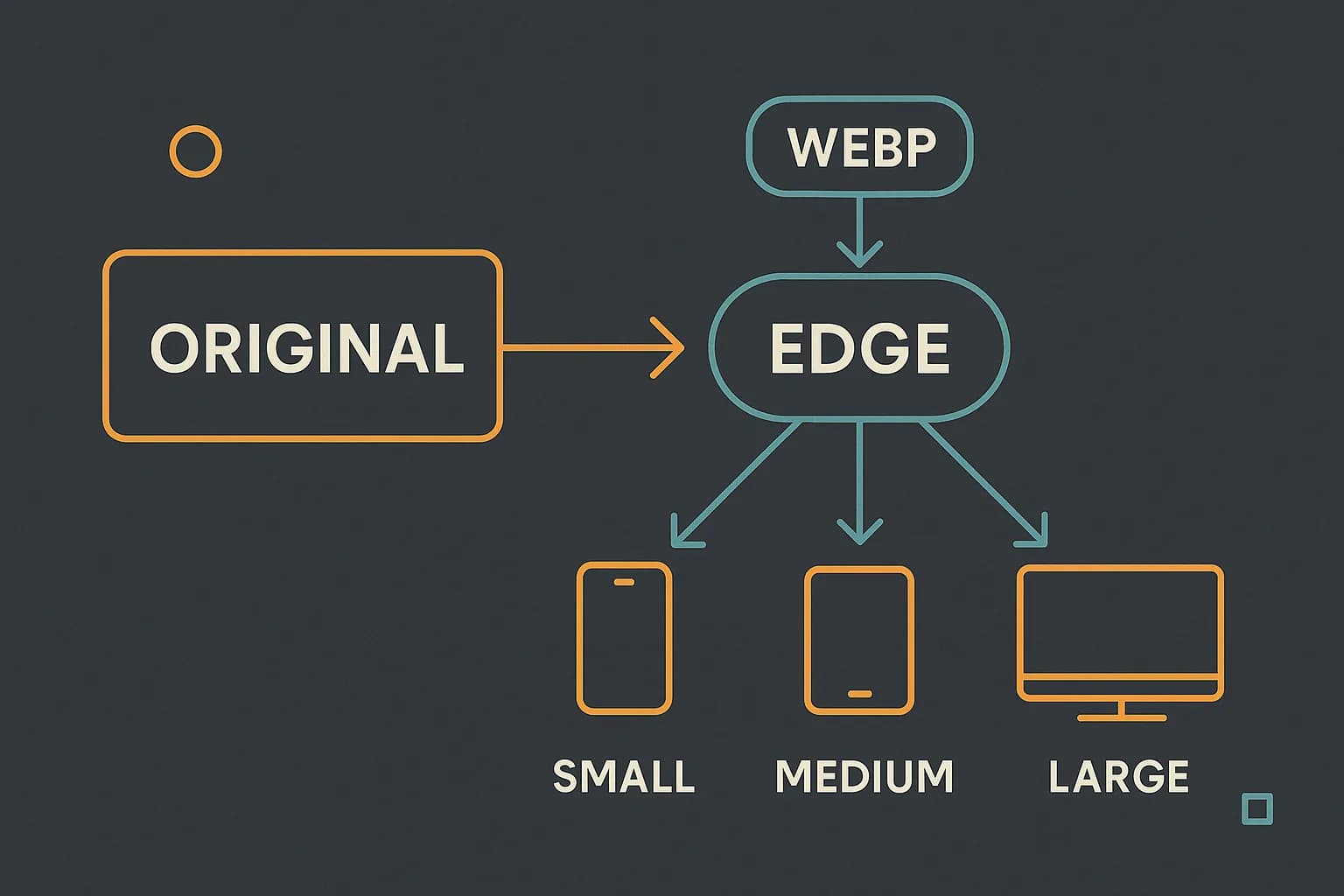
An image CDN is a network that stores your images near users and reshapes them on the way out. A plain CDN just copies bytes to the edge. An image CDN also resizes, re-encodes, and picks a format per browser.
That extra work matters more than it sounds. 73% of mobile pages have an image as their Largest Contentful Paint element. (Web Almanac 2024) So for nearly three pages in four, image delivery is the load-speed story. Draftbase bakes a lighter version of this into its media pipeline, covered below.
What Is an Image CDN?
Start with a normal CDN. It caches a file at edge locations worldwide. A user in Berlin gets the copy in Frankfurt, not the one in Virginia. Distance drops, so latency drops.
An image CDN adds a transform step. You upload one master file. The service then derives every version you need: smaller widths, different formats, different quality levels. Each derived file gets cached at the edge like any other asset.
The point is that you stop shipping one file to everyone. A phone on a slow link and a desktop on fibre get different bytes from the same URL.
What Does an Image CDN Do That a Plain CDN Cannot?
Three things, mainly.
Format negotiation. Browsers send an Accept header listing formats they can decode. The CDN reads it and returns AVIF, WebP, or JPEG from one URL. The response carries Vary: Accept so caches keep the versions apart.
Resizing on demand. You ask for a width in the URL or a query param. The CDN renders that size once, then serves it from cache forever. No build step, no pre-generating twelve variants by hand.
Quality tuning. Most services let you set a quality target per request, or hand it to an automatic mode that picks per image.
The format savings are real and measured. AVIF runs about 60% smaller than JPEG at similar quality. It runs about 35% smaller than WebP. (web.dev)
| Format | Rough size vs JPEG | Support |
|---|---|---|
| JPEG | baseline | Everywhere |
| WebP | ~25–35% smaller | All current browsers |
| AVIF | ~60% smaller | All current browsers, slower to encode |
How Does an Image CDN Improve Core Web Vitals?
Largest Contentful Paint is the metric to watch. It measures the time until the biggest image or text block in view finishes rendering. Google's target is 2.5 seconds or less on 75% of visits. (web.dev)
If your LCP element is an image, its download sits right on that critical path. Cut the file in half and you cut the download in half. Serve it from an edge 50 ms away instead of 200 ms away and you save again.
Layout shift gains too, in a second way. An image CDN gives you known dimensions. Put those in the width and height attributes. The browser then holds space before the bytes land. That kills a common source of Cumulative Layout Shift.
Two markup habits pair with the CDN and cost nothing. Never lazy-load the LCP image. A loading="lazy" on your hero delays the very request you want first. Add fetchpriority="high" to it instead, so the browser pulls it ahead of other images.
Then lazy-load everything below the fold. That frees bandwidth for the image that decides your score. A CDN shrinks each file. Priority hints decide which file moves first. You want both.
The Ceiling Most Posts Do Not Mention
Here is the part that gets skipped. An image CDN cannot fix a slow page on its own, and the numbers say why.
Google breaks LCP into four parts with rough budgets. Time to First Byte is about 40%. Resource load delay is under 10%. Resource load duration is about 40%. Render delay is under 10%. (web.dev)
An image CDN attacks the load duration. That is roughly 40% of the budget. It does nothing for a slow server reply. And TTFB is just as big a slice. Halving your image bytes on a site with a 1.8-second TTFB will not get you under 2.5 seconds.
There is a second gap worth knowing. AVIF is the best format by a wide margin, and it sat at 1.0% of images in 2024. WebP sat at 12%. (Web Almanac 2024) The advice everyone repeats is years ahead of what anyone actually ships.
Read those two facts together and the order gets clear. Fix TTFB first. Then get off raw JPEG and PNG. Chasing AVIF over WebP before either of those tunes the wrong 5%.
When Do You Actually Need One?
Not every site does. Be honest about which case you are in.
You probably need a transform CDN when users upload the images. You cannot know their dimensions ahead of time, and someone will upload a 12 MB phone photo as an avatar. On-demand resizing is the only sane answer.
You probably need one when one image shows up at many sizes. Think a product grid, a gallery, or a photo that fills a card on mobile and a hero on desktop. Making each size by hand stops scaling fast.
You likely do not need one for a docs site, a blog, or a marketing site with a fixed set of images. There, one good derivative per asset plus edge caching covers most of the win. The transform layer is solving a problem you do not have.
Cost follows the same split. Transform CDNs bill per unique transform, plus bandwidth. A site with twenty images pays for a feature it never uses.
What Are the Free Image CDN Options?
"Free image CDN" covers four shapes. Knowing which one you are looking at saves a lot of table reading.
Bundled with your host. If you deploy on Vercel or Netlify, image work is already there. Next.js ships an Image component that resizes on demand and serves modern formats. (Next.js docs) It is free to use and metered by your host's plan. For a React app this is often the whole answer.
Bundled with your CDN. Cloudflare, Fastly, and Akamai all sell image features on top of the CDN you may already pay for. There is no second vendor and no second bill.
Free tier of a dedicated service. Cloudinary, imgix, and ImageKit all run one. These give you the most control. They are also the easiest to outgrow. Check what the free tier counts before you commit. Some count transforms. Some count bandwidth. The two blow up at very different rates.
Roll it yourself. One resize-and-encode step at upload, then a CDN in front of object storage. Free of per-transform cost, and you own the pipeline. This is the shape Draftbase uses, described next.
There is no single best pick here. Choose by which bill you already pay, and by how mixed your image sizes are.
How Draftbase Handles Media
Draftbase sits in that last camp on purpose. It is worth being clear about what that means.
An upload goes straight to S3 through a presigned POST, landing under an originals/ prefix. That write fires a Lambda. The Lambda runs sharp, resizes the image to fit inside 1920 by 1920 without enlarging it, and re-encodes to WebP at quality 82. The result lands under processed/, and the asset record flips from pending to ready with real width, height, and byte size recorded.
Delivery runs through assets.draftbase.co, a CloudFront distribution in front of that bucket. So you get edge caching, one modern format, and a hard cap on size. There is no per-request transform bill.
What Draftbase does not do is negotiate format per request. There is no AVIF fallback chain and no ?w= resize param. Transcoding happens once, at upload. If your app needs per-viewport variants from one master, put a transform CDN like Cloudflare Images or imgix in front and point it at the delivery URL.
For a docs or blog workflow, the simple path is usually right. Content authors upload once. Every reader gets a capped, WebP-encoded file from a nearby edge. See the media and CDN page for the upload limits, or the headless CMS with React guide for how those assets reach a Next.js front end. If you're still weighing frameworks for a Next.js project, choosing a CMS for a Next.js project covers how media fits into that decision.
Conclusion
An image CDN caches images at the edge and reshapes them per request: format, size, quality. That directly targets Largest Contentful Paint, which is image-driven on 73% of mobile pages. But it only addresses roughly 40% of the LCP budget, so fix your server response time first.
Pick a full transform service when users upload images or one asset needs many sizes. For a docs site or blog, a fixed WebP derivative behind a CDN is enough. That is exactly what Draftbase ships by default. See pricing for the storage and bandwidth included.
Ship content that's built to be found
Draftbase generates schema, structured data, and a fast MDX editor for every post.
Frequently asked questions
What is an image CDN?
An image CDN stores your images at edge sites and reshapes them on the way out. It resizes, re-encodes, and picks a format per browser from one URL.
How does an image CDN improve page speed?
It cuts the bytes and the distance for your largest image. That matters because 73% of mobile pages have an image as their LCP element.
Do I need an image CDN for a blog or docs site?
Not always. A docs site or blog with a fixed set of images does fine with one WebP file behind a plain CDN. You need transforms when users upload images.
Is AVIF better than WebP?
AVIF is about 60% smaller than JPEG at the same quality. It is about 35% smaller than WebP. But AVIF was only 1.0% of images in 2024, against 12% for WebP.
What are the free image CDN options?
There are four kinds. One comes with your host, like the Next.js Image component. One comes with your CDN. One is a free tier from a paid service. The last is your own resize step behind a CDN.
How do you set image sizes with the next/image component?
The `next/image` component needs `width` and `height` (or `fill` with a sized parent) plus a `sizes` attribute telling the browser which rendered width to expect at each breakpoint, so it can request the right srcset entry instead of always downloading the largest one.
What's the right way to serve a hero image in Next.js?
Use `next/image` with `priority` set and no `loading="lazy"`, since the hero is almost always the LCP element and lazy-loading it delays the exact request you want first. Pair it with a `sizes` attribute matched to the hero's actual rendered width per breakpoint.
Working with this hands-on? Draftbase also has a free alt text generator.