
How to Use a Headless CMS with Node.js and Express
How to use a headless CMS with Node.js and Express: the fetch pattern, the right API key to use, and how to cache the response.
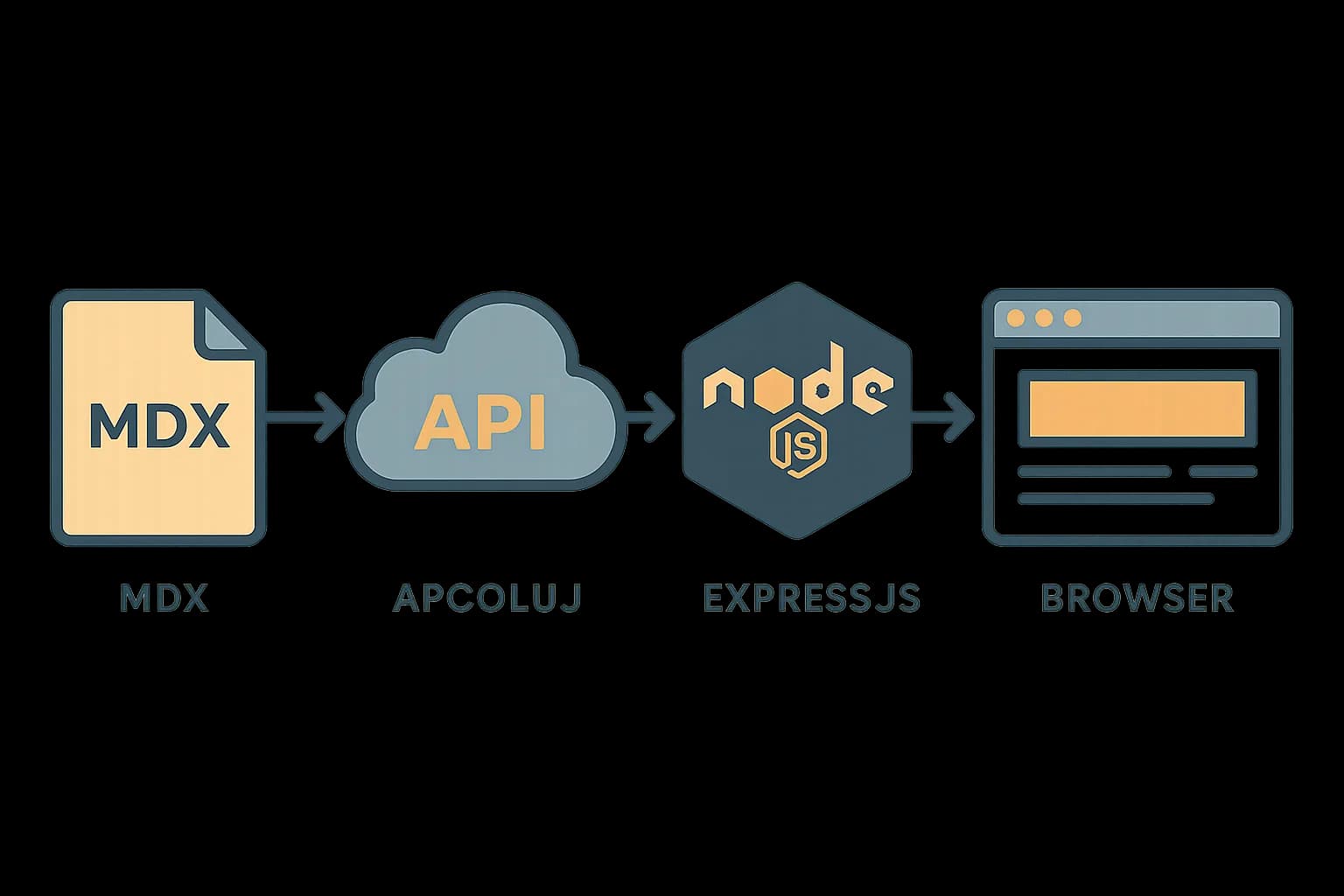
A headless CMS works with Node.js and Express the same way it works with any backend. Your server calls a delivery API over HTTP and gets JSON back. There's no special Node SDK required, no plugin, no framework lock-in. The pattern is a fetch call, a route handler, and a template. Draftbase's own delivery API follows this same shape. That's why it drops into an existing Express app with no rewrite.
The part that trips people up isn't the request. It's which API key goes where. A management key can create, edit, and delete content. It belongs only on a server you control, never in a browser bundle. A delivery key is read-only and safe to expose. Get that split wrong once and you've shipped a key that lets a stranger edit your site.
Why fetch content on the server instead of the client
Express apps that render HTML (via EJS, Pug, or a template string) fetch CMS content server-side before the response goes out. Three reasons this beats a client-side fetch:
- No key exposure. A server-side
fetchkeeps your delivery key out of the browser's network tab. A client-side call to a public delivery endpoint is fine if the key is truly public-safe. Most teams don't bother checking that before shipping. - Faster first paint. The page arrives with content now in the HTML, no loading spinner while a second request resolves.
- Cacheable at the edge. A server route can cache the CMS response for a few minutes and serve stale-while-revalidate. A client-side fetch on every page load can't do that without extra plumbing.
Setting up the Express route
Install express and a template engine. EJS is the least ceremony for a CMS-backed page:
npm install express ejs dotenv
Store the delivery key in an environment variable, never in source:
# .env
CMS_DELIVERY_KEY=your_delivery_key_here
A minimal route that fetches a list of posts and renders them:
import express from "express";
import "dotenv/config";

const app = express();
app.set("view engine", "ejs");

app.get("/blog", async (req, res) => {
  const response = await fetch(
    "https://api.draftbase.co/delivery/entries?templateId=blogPost&limit=20",
    { headers: { Authorization: `Bearer ${process.env.CMS_DELIVERY_KEY}` } }
  );
  const { entries } = await response.json();
  res.render("blog", { entries });
});

app.listen(3000);
The route does three things. It authenticates with a bearer token. It requests only the template you need with templateId. Then it hands the parsed JSON to the view. Draftbase's delivery routes take limit (default 20, max 100) and an after cursor for pagination. A blog index with more than 20 posts needs a "load more" link that passes the cursor forward, not one giant fetch.
Rendering entries in the template
An EJS template just loops the array:
<!-- views/blog.ejs -->
<ul>
  <% entries.forEach(entry => { %>
    <li>
      <a href="/blog/<%= entry.slug %>"><%= entry.title %></a>
    </li>
  <% }) %>
</ul>
For a single post route, fetch by id or filter by slug the same way, then render the content field. If your CMS stores rich content as MDX, compile it server-side before rendering. Draftbase does this via @draftbase/renderer. Skip that step and raw MDX shows up as raw markdown text in the page, not real HTML.
The management-vs-delivery key split, in practice
This is the one security decision that matters in this setup. Two keys, two jobs:
| Key type | Can do | Where it lives |
|---|---|---|
| Delivery key | Read published content only | Server env var, or a public/browser variable if your CMS marks it delivery-safe |
| Management key | Create, update, delete, publish content | Server env var only, never shipped to a browser bundle |
The Express route above only ever needs the delivery key. Say you're also building an admin panel that lets your team edit content from inside your own app, rather than the CMS's own dashboard. That panel's API calls need the management key. That code has to run through your Express server, never from client-side JavaScript, ever. A management key in a browser bundle is visible to anyone who opens dev tools. It's a standing invitation to overwrite your content.
Contentstack's own security guidance draws this same line. Management access "needs higher-level permissions and should be more tightly controlled." Delivery access is designed for public content distribution. The same split underpins REST API design for headless CMS integrations generally, not just the Node case.
Caching CMS responses in Express
A CMS delivery API is usually rate-limited and cached at the CDN layer now, but adding a short in-memory cache in Express cuts your own request count and speeds up repeat visits:
const cache = new Map();

app.get("/blog", async (req, res) => {
  const cached = cache.get("blog-index");
  if (cached && Date.now() - cached.time < 60_000) {
    return res.render("blog", { entries: cached.entries });
  }
  const response = await fetch(/* ... */);
  const { entries } = await response.json();
  cache.set("blog-index", { entries, time: Date.now() });
  res.render("blog", { entries });
});
A 60-second cache is enough to absorb a traffic spike. Your visitors never see stale content for more than a minute. Skip building this until you actually see repeat load on the route. It's one line to add later, not worth guessing at up front.
What breaks in production
Two failure modes show up once this is live instead of local:
The delivery API returns your last published revision, not a pending edit. If someone on your team edits a post and doesn't publish it, your Express route keeps serving the old version, correctly. This confuses people who expect a save to show up right away. The fix is either publishing the edit, or building a preview route that hits the management API with draft status, gated behind auth.
An unhandled fetch failure takes the whole route down. The example route above has no try/catch. In production, a CMS outage or a network blip returns a rejected promise. Express's default error handler then sends a raw 500 page. Wrap the fetch in a try/catch and fall back to a cached copy or a friendly error page. A content outage should never look like your server crashed.
app.get("/blog", async (req, res) => {
  try {
    const response = await fetch(/* ... */);
    if (!response.ok) throw new Error(`CMS returned ${response.status}`);
    const { entries } = await response.json();
    res.render("blog", { entries });
  } catch (err) {
    console.error("CMS fetch failed:", err);
    res.status(502).render("error", { message: "Content temporarily unavailable" });
  }
});
Node.js and Express vs a full framework's data layer
Next.js and other React frameworks bake in fetch caching, revalidation, and static generation for CMS content. Express has none of that by default. Every caching and error-handling decision above is something a framework would give you for free. That's a fair tradeoff for a small service, an internal tool, or a Node backend that isn't now React-based. But if you're choosing Express specifically to avoid a frontend framework, budget the extra hours instead. For a React app, see how to choose a CMS for a Next.js project instead. Or check the frameworks pillar for the full picture across static and server-rendered stacks.
Getting started
A Node.js and Express backend needs nothing more than a delivery key and a fetch call to pull in headless CMS content. No CMS-specific SDK is required for a read-only integration. Two decisions are worth making on purpose: the management-vs-delivery key split, and how you handle a failed request. Both stay invisible in local development. They only show up once the app serves real traffic. Draftbase's delivery API works with this exact pattern out of the box. It ships REST and GraphQL delivery, a free Hobby tier, and MDX-based content. That content compiles cleanly whether your frontend is Express-rendered HTML or React.
How to
- 1Install Express and a template engine
Run npm install express ejs dotenv. EJS is the lowest-ceremony template engine for rendering CMS content as HTML.
- 2Store the delivery key as an environment variable
Add CMS_DELIVERY_KEY to a .env file, never to source code, so the read-only delivery key stays out of version control.
- 3Write a route that fetches CMS entries
Call the CMS delivery API with fetch inside an async route handler, passing the delivery key as a Bearer token and templateId to scope the request.
- 4Render the entries in a template
Pass the parsed JSON entries to res.render and loop over them in an EJS template to output links, titles, or full content.
- 5Add error handling and caching
Wrap the fetch in a try/catch with a fallback error page, and add a short in-memory cache to avoid re-fetching on every request.
Ship content that's built to be found
Draftbase generates schema, structured data, and a fast MDX editor for every post.
Frequently asked questions
Do I need a special SDK to use a headless CMS with Node.js?
No. A plain fetch call to the CMS's delivery API works fine. Most headless CMS platforms don't need a Node-specific package for read-only content.
Should I call the CMS delivery API from the client or the server in Express?
From the server. A server-side fetch keeps your API key off the browser's network tab. It arrives faster too, since content is already in the rendered HTML. It can also be cached at the route level.
What's the difference between a management key and a delivery key?
A delivery key is read-only and safe to expose in low-risk contexts. A management key can create, edit, and delete content. It must stay server-side only, never in a browser bundle.
How do I paginate CMS entries in an Express route?
Use the delivery API's limit and after cursor parameters. Draftbase's delivery routes default to a limit of 20 and cap at 100. Pass the prior response's cursor as after to fetch the next page.
What happens if the CMS API call fails in production?
Without a try/catch, a failed fetch crashes the route with a raw 500 page. Wrap the call and check response.ok instead. Fall back to a cached copy or a friendly error page.