
What Is a Headless CMS? Definition and How It Works
A headless CMS stores content and serves it via API to any front end. Learn what it is, how it works, and when it beats a traditional CMS.
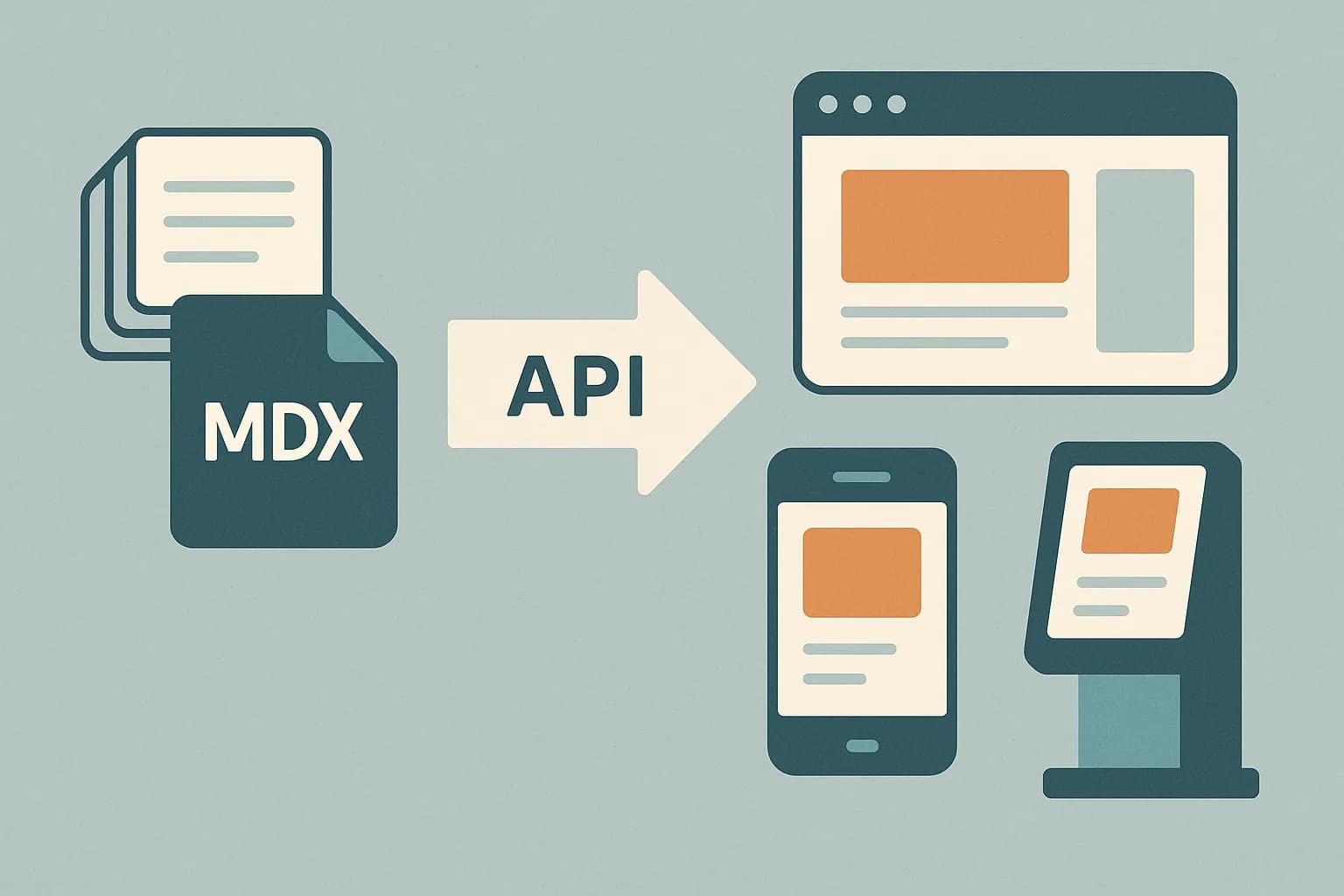
A headless CMS stores and manages content. It has no built-in front end. It hands content to any app or site through an API. Developers pick the framework. Editors keep a familiar admin screen. Draftbase works this way. Every entry ships as plain MDX over a JSON API. That's ready for a React or Next.js front end out of the box.
What Is a Headless CMS?
A traditional CMS bundles three things into one system: the editor, the database, and the page templates. A headless CMS splits that apart. The back end holds structured content. The front end pulls that content through an API call. The front end can be a website, a mobile app, or a kiosk. (Source: Acquia.)
The word "headless" points to the missing "head." The head is the display layer. Content managers write in the admin panel. The CMS serves that content as JSON. Developers render it however the project needs.
This differs from a decoupled CMS, a middle option. That middle option still ships some front-end templates alongside its API. A headless system ships no templates at all. It ships just the API and the data. (Contentful).
How a Headless CMS Actually Works
The workflow has three parts. First, an editor creates content in the admin UI. That content gets structured into fields: a title, a body, an image, a price. Second, the CMS stores that content in a database. That storage stays independent of any single site design. Third, a front end requests the content through a REST or GraphQL API. That request usually runs behind a CDN for speed.
The third step is what makes omnichannel delivery possible. One blog post entry can render on a marketing site. The same entry can power a native mobile app. It can also feed a smart display. Each surface makes its own API call to the same source. (Contentstack).
GET /entries?templateId=blogPost&slug=what-is-a-headless-cms

{
  "title": "What Is a Headless CMS?",
  "content": "A headless CMS is...",
  "featuredImage": { "url": "https://cdn.example.com/hero.png" }
}
Draftbase follows this same shape. Entries return as resolved JSON. Reference and media fields come back inlined. richText fields return as raw MDX strings. Your React app renders those directly with a library like next-mdx-remote. No proprietary rich-text parser is needed.
Why Teams Choose a Headless CMS
Three reasons show up most often in practice.
More channels. One content model feeds a website, an app, and a kiosk. There's no duplicate entry work. Update once, publish everywhere. (Crystallize).
Framework freedom. The front end isn't locked to the CMS vendor's templating engine. Teams pick React, Next.js, or Astro. They can swap frameworks later without a content migration. Our guide to using a headless CMS with React walks through that setup.
Faster front ends. Static-generation frameworks can pull content at build time. That removes the CMS from the request path entirely. Page load time drops compared to a server-rendered monolithic CMS.
What a Headless CMS Gives Up
The tradeoff is real. A headless CMS ships no visual page builder by default. It ships no live preview either. Someone has to build the front end. That upfront engineering cost is the main reason some smaller teams stay on a traditional CMS instead. (AnyforSoft).
Draftbase narrows that gap for developer-led teams. Content models get defined once. Entries stay as plain MDX, not a nested rich-text tree. The delivery API is built for a React app to consume directly. No heavy SDK stands between your code and the data.
It's not a fit for a marketing team that wants drag-and-drop page building. It's built for developers who want structured content without vendor lock-in.
Headless CMS in Practice: A Quick Example
Say a team runs a blog, a mobile app, and a support widget. All three need the same FAQ entry. In a traditional CMS, each surface often gets its own copy. Someone has to keep all three in sync by hand.
With a headless CMS, the team writes the FAQ once. The CMS stores it as one entry. The blog calls the API and gets the text. The app calls the same API and gets the same text. The support widget does the same. One edit updates all three at once. No copy-paste. No drift.
This is the core value in one line: write once, ship everywhere, stay in sync.
Common Headless CMS Terms
A few terms come up often. Here's what each one means, in plain words.
API. A set of rules that lets one program ask another program for data. A headless CMS uses an API to hand off content.
Content model. The shape of your data. It defines what fields an entry has, like title, body, or price.
Entry. One piece of content. A blog post is an entry. A product page is an entry.
Delivery API. The API a live site or app calls to fetch published content. This is the API your front end hits at runtime.
CDN. A content delivery network. It caches API responses close to the reader, so pages load fast.
Headless CMS Adoption in 2026
Headless setups moved from an edge case to a default pick. 73% of firms already use one somewhere in their stack. (Storyblok).
67% of enterprise retailers are actively implementing or evaluating headless commerce. (Crystallize). That shift tracks with a broader move toward composable, API-first infrastructure. Content, commerce, and search are all part of that shift.
Headless vs. Traditional, Side by Side
Here's a quick side-by-side view of the two models. For a deeper comparison, see Headless CMS vs Traditional CMS.
| Factor | Traditional CMS | Headless CMS |
|---|---|---|
| Front end | Built into the CMS | Built separately, by you |
| Channels | One site, mostly | Any: web, app, kiosk, more |
| Setup time | Fast, low code | Slower, needs a developer |
| Content reuse | Copy-paste per site | One entry, many channels |
| Page speed | Depends on the CMS | Often faster, static-friendly |
Neither model wins every case. The right pick depends on how many channels you serve and how much developer time you have on hand.
Choosing Between Headless and Traditional
Pick headless when content needs to reach more than one channel. Pick it when your team already writes React or Next.js. Pick it when page speed and framework freedom matter more than a built-in visual editor.
Pick traditional when a single website is the only channel. Pick it when no developer resource is available to build a front end. If you're weighing specific tools, see our roundup of headless CMS picks for 2026.
A React-heavy team building a site, docs, or blog fits the headless model well. A plain-MDX content model — like Draftbase's — removes the two biggest headless pain points. There's no rich-text lock-in. There's no SDK to learn before the first API call works.
Conclusion
A headless CMS separates content storage from content presentation. It delivers content through an API to any front end. That tradeoff means more setup work upfront, but more channel range later. More teams are choosing that tradeoff as they ship to more than one surface. Try Draftbase to see the API-first, MDX-native version of this model in a real React project.
Ship content that's built to be found
Draftbase generates schema, structured data, and a fast MDX editor for every post.
Frequently asked questions
What is a headless CMS in simple terms?
A headless CMS stores content and hands it off through an API, with no built-in front end. Developers build the site or app that displays it.
Is a headless CMS the same as a decoupled CMS?
No. A decoupled CMS still ships some front-end templates alongside its API. A headless CMS ships no templates at all, only the API and the data.
Do I need to be a developer to use a headless CMS?
Editors don't need to code to write content. But someone does need developer skills to build the front end that displays it.
Why is a headless CMS faster than a traditional CMS?
Static-generation frameworks can pull content at build time, so the CMS isn't in the request path. That often cuts page load time.
Does Draftbase store content as plain MDX?
Yes. Every rich-text field in Draftbase is a raw MDX string. It renders through next-mdx-remote. There's no special format to learn.
What is a hybrid CMS?
A hybrid CMS exposes both an API for headless delivery and a built-in front-end/preview layer, so a team can render pages the CMS's own way or pull raw content into a custom app — a middle ground between traditional and headless.
What is a cloud CMS?
A cloud CMS just means the CMS is hosted and managed by the vendor rather than self-hosted. It's an orthogonal question to headless vs. traditional — Draftbase, for example, is a cloud-hosted headless CMS.
Is a monolithic CMS the same as a headless CMS?
No, they're opposites. A monolithic CMS bundles the editor, database, and front-end templates into one system. A headless CMS splits the front end out entirely and serves content only through an API.
What does "headless" mean in software?
Headless means a system's back end ships with no built-in user interface. A headless application, headless client, or headless system runs its logic and exposes it through an API or command line only — a headless CMS is one example, but the same term covers a headless browser, a headless server, or any headless technology that separates the engine from the display.
What is a headless frontend or headless site?
A headless frontend (or headless site) is the presentation layer built separately from a headless back end — it calls the back end's API to get content or data, then renders the page or app itself. That's the same headless solution pattern whether the back end is a CMS, an e-commerce engine, or any other headless technology.
Working with this hands-on? Draftbase also has a free supabase rls checker.