
Headless CMS for Mobile Apps: How It Works
A headless CMS for mobile apps sends content as JSON to React Native, Flutter, iOS, or Android. See how it works, and when it's overkill.
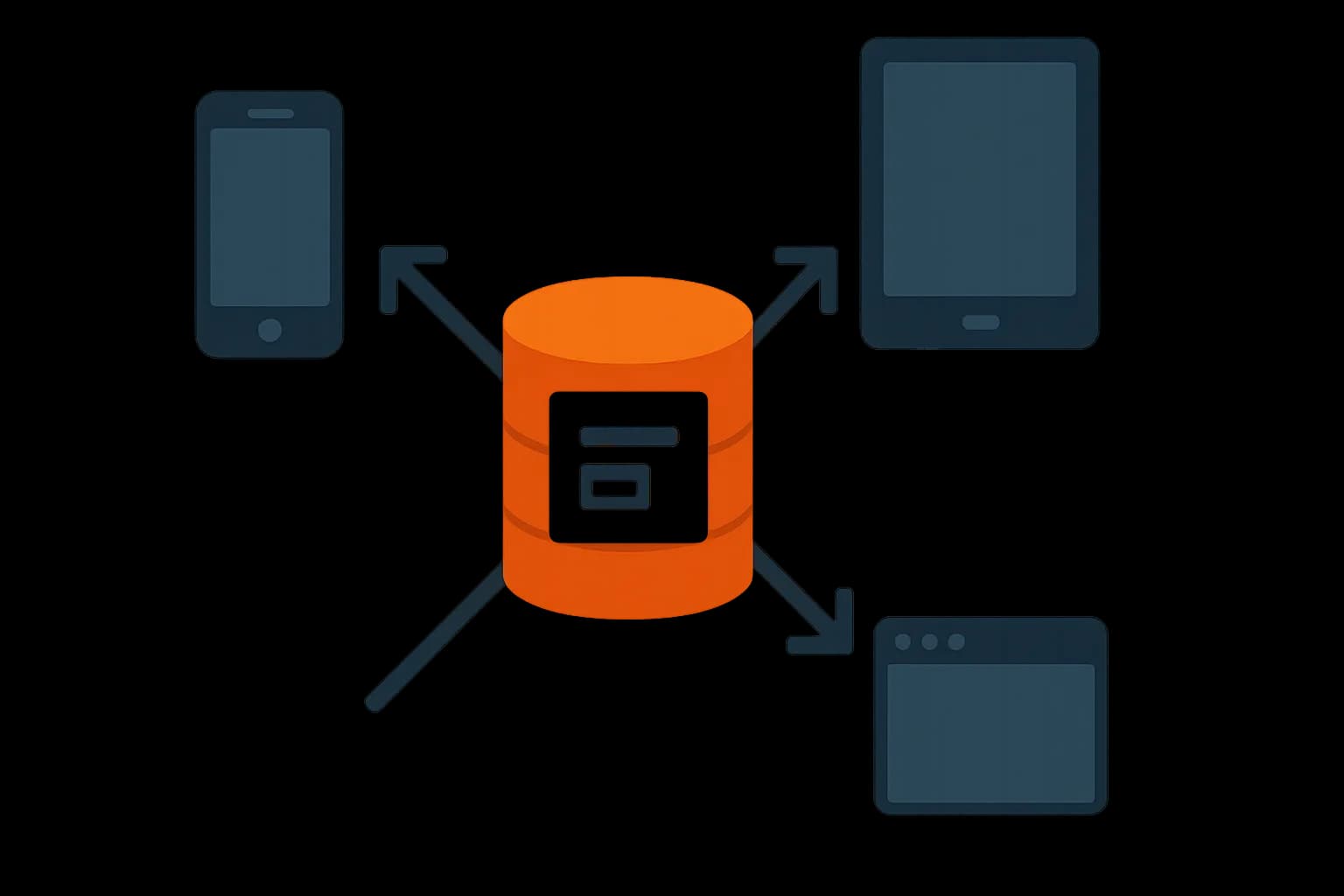
A headless CMS works for mobile apps because it never assumes the front end is a browser. Content comes back as JSON over REST or GraphQL. Any client can read it: iOS, Android, React Native, Flutter, or a website, all from the same content model. That's the core fit. A traditional CMS renders HTML pages. A mobile app has no HTML to render, so a page-based CMS is the wrong tool from the start.
Why a Page-Based CMS Fails a Mobile App
A traditional CMS bakes presentation into the content. Templates, layout blocks, page-level HTML. That model works for a website with a browser reading the output. A mobile app doesn't want HTML. It wants structured fields it can bind to native views: a title as a string, a price as a number, an image as a URL it can cache. Forcing a page-based CMS to serve a mobile app usually means scraping HTML back into data, a fragile extra step that breaks on every template change.
A headless CMS skips that problem by design. Content lives in fields, not pages. A blogPost entry has a title, a body, an author, tags. Nothing about how it renders. The mobile app decides that part on its own, in native code or a cross-platform framework.
One Content Model, Every Channel
The real win isn't just "an API instead of HTML." It's reusing the same content across every channel a product ships to. A product description written once can power the marketing site, the iOS app, the Android app, and a future smartwatch app, all from one entry. Edit it once, and every channel gets the update the next time it fetches.
This matters most for teams already shipping a website through a headless CMS. Adding a mobile app doesn't mean standing up a second content system. It means pointing a new client at the same delivery API. Draftbase's delivery API returns entries as JSON with resolved references, so a mobile client gets the same shape a web client gets, no extra transform layer.
Fetching Content in React Native and Flutter
Both frameworks consume a headless CMS the same way any HTTP client does. A fetch or http call. A JSON response. A model on the client side. React Native uses the same fetch API a web app uses. Flutter decodes JSON straight into Dart classes. Neither needs a CMS built specifically for it. The frameworks pillar covers SDK and fetch patterns in more depth. The short version: a REST or GraphQL delivery API works from any client that can make an HTTP request. Mobile included.
The Part Mobile Adds: Working Offline
A website assumes a live connection. A mobile app can't. Someone opens the app on a subway, in an elevator, on a flight. The content has to still be there. This is the one real difference between serving a website and serving a mobile app from the same CMS. It lives entirely on the client, not the CMS.
The common pattern: fetch content when online, cache it in local storage (SQLite, Realm, or a simpler key-value store), and serve from cache when the network drops. Use a timestamp or an ETag so the app only pulls what changed since the last successful sync, not the full content set every time. Any writes made offline, like a form submission or a saved draft, get queued locally. They replay once the connection comes back. A conflict rule, usually last-write-wins, settles anything that changed on both sides.
None of this changes what the CMS needs to do. It still just serves content over an API. The offline logic is app-side work, and it's the same shape whether the content comes from a headless CMS, a custom backend, or a BaaS. A CMS with clean, cacheable JSON responses makes that client-side work easier. A CMS that requires a template engine to produce anything usable does not.
Push Content Updates Without an App Store Release
One underused benefit: content changes don't need a new app build. Change a price, fix a typo, update a promotion, and the mobile app picks it up on its next fetch, no App Store or Play Store review cycle involved. That's a real advantage over hardcoding strings and values into the app binary, where even a small copy fix means a full release cycle. Teams that ship frequent promotional content (seasonal banners, featured product rotations, in-app announcements) lean on this the most.
When a Headless CMS Is Overkill
Not every mobile app needs one. A small app with a handful of static screens, no marketing copy that changes, no editor on the team, can just ship its text baked into the app. Adding a CMS there adds a moving part with no real payoff. The line to watch: does anyone besides a developer need to change this content? If the answer is no, and it stays no, skip the CMS.
The other overkill case is an app whose data is mostly user-generated, not editorial. A social app, a chat app, a marketplace. Most of what moves through it comes from users, not from a content team. That data belongs in a database or a BaaS, not a CMS built for editors and a publish button. A headless CMS still might hold the app's static screens (an About page, onboarding copy, a help center), even in that case. It just isn't the right home for the user-generated part.
The tell that a headless CMS is worth it: someone who isn't a developer wants to change what the app shows, on a schedule the dev team can't keep up with. A seasonal promo, a policy update, a featured-product rotation. Once that request comes in more than once, the CMS pays for itself.
What to Check Before Picking a CMS for a Mobile App
A few things matter more for mobile than for a website-only use case. Response size matters first. A mobile client on a slow connection wants a delivery API with field selection. It shouldn't pull a full entry when it only needs a title and an image URL. Media handling: images should come with a CDN URL and support resizing via query params, since a phone screen and a desktop screen need different image sizes. Rate limits matter too. A mobile app with a large install base can generate far more API calls than a website. Check what a plan's API call cap actually allows before committing.
Conclusion
A headless CMS fits mobile apps for the same reason it fits any non-browser client. Content comes back as data, not markup. Any platform that can call an API can consume it. React Native and Flutter both work with a standard delivery API out of the box, no CMS-specific SDK required. The parts that need real design work, offline caching and sync, live on the client, not the CMS. If a team already runs a website on Draftbase, adding a mobile app is simple. Point a new client at the same delivery API. No second content system needed.
Ship content that's built to be found
Draftbase generates schema, structured data, and a fast MDX editor for every post.
Frequently asked questions
Can I use a headless CMS with React Native?
Yes. React Native fetches content with the same fetch API a web app uses. No CMS-specific SDK is required.
Does a headless CMS work with Flutter?
Yes. Flutter decodes the CMS's JSON response into Dart models over standard HTTP, the same way it would call any other API.
How does offline content work in a mobile app?
The app caches the last fetched content locally, then serves that cache when the network drops. It syncs new changes once the connection returns.
Is a headless CMS overkill for a simple app?
Often, yes. If no one but a developer ever needs to change the app's text, hardcoded content is simpler than adding a CMS.
Can a headless CMS push content updates without an app store release?
Yes. Content changes take effect on the app's next fetch, with no App Store or Play Store review needed.
Working with this hands-on? Draftbase also has a free supabase rls checker.