
Omnichannel Content Delivery with a Headless CMS
Omnichannel just means one content feed for your site, app, and kiosk. See how a headless CMS makes that the default, not extra work.
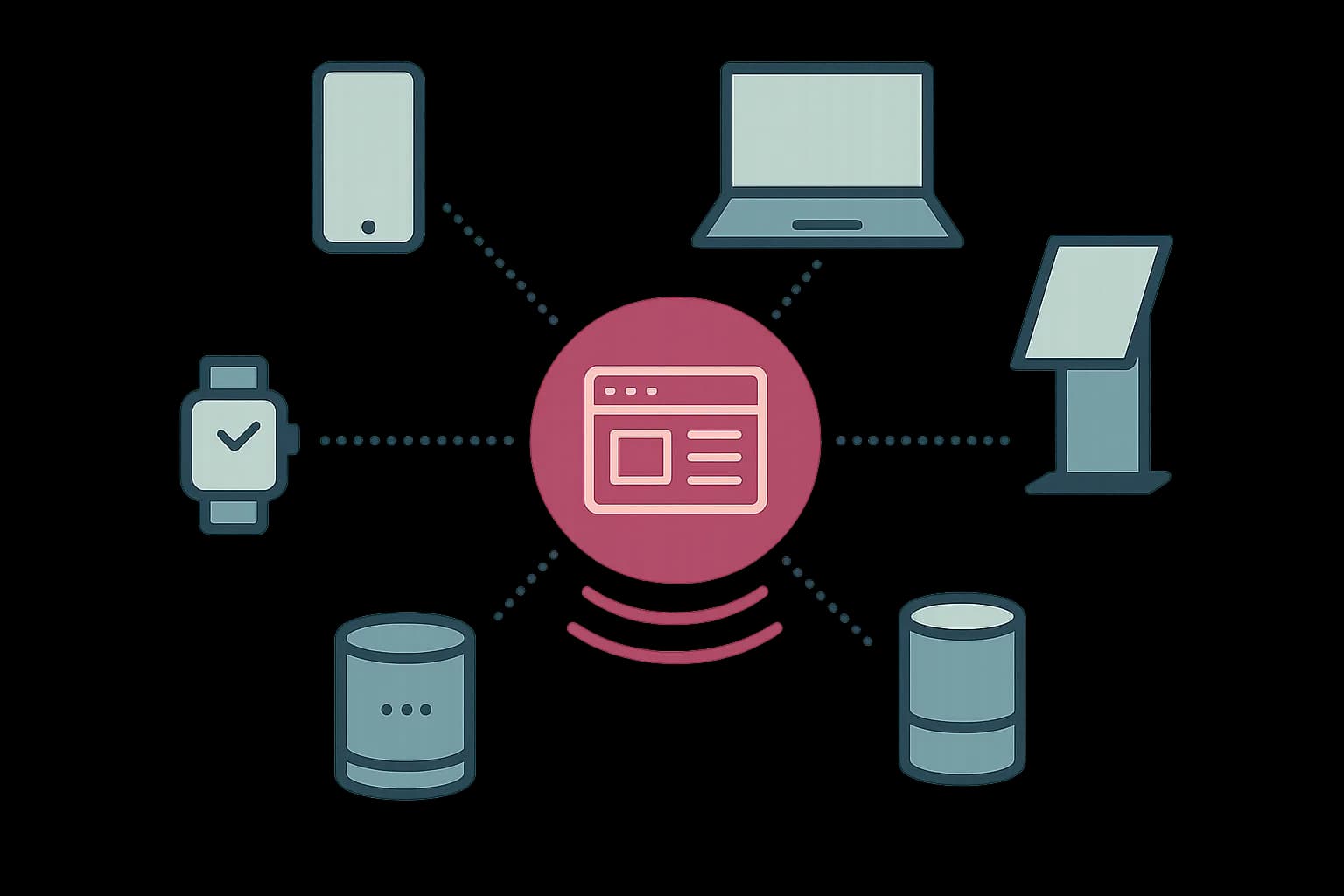
Omnichannel content delivery means one content API feeding your website, app, kiosk, and email from a single source. No managing the same message five separate times. That's what "headless" already means in a headless CMS. Omnichannel is just the buyer-side name for the same architecture, stated as a business goal instead of a technical one.
The stakes are real. Brands with a strong omnichannel setup retain 89% of customers, against 33% for weak omnichannel setups, and see about 9.5% more annual revenue growth. This guide covers how a headless CMS actually delivers that, not just why it matters.
What Does Omnichannel Actually Mean?
Omnichannel content delivery means one piece of content, distributed across every channel a customer touches. Same message, no manual re-entry per channel. Retailers with three or more connected channels see customer engagement rise 250% compared to single-channel retailers.
The gap between promise and delivery is wide. Most shoppers switch between at least three channels during one purchase, and 75% expect a smooth handoff between them. Only 25% say retailers actually deliver that. A headless CMS closes that specific gap, at the content layer.
The Content API Is the Omnichannel Architecture
A traditional CMS bakes content into HTML at the point of publishing. That ties it to one website's templates. A headless CMS stores content as structured data and serves it over an API, with no opinion about what renders it.
That distinction is the entire omnichannel story. One entry, one API call. A website, a native app, an in-store kiosk, and an email campaign can all pull the same content. Nobody re-types the product description four times, and a price correction updates every channel the moment it's published.
const res = await fetch('https://api.draftbase.co/delivery/entries?templateId=product', {
  headers: { Authorization: `Bearer ${process.env.DRAFTBASE_KEY}` },
});
const { items } = await res.json();
That same call works from a Next.js site, a React Native app, or a kiosk. The response shape stays the same no matter who's asking.
Omnichannel Marketing Platforms vs a Headless CMS
An omnichannel marketing platform, the kind sold under that exact label, usually bundles three things. A customer data platform, campaign automation, and analytics, all on top of a content store. That's a real product category, and it solves a real problem for a marketing team running coordinated campaigns.
A headless CMS solves a narrower, upstream problem: making sure the content itself exists in one place. Most omnichannel marketing platforms still need a content source behind them. A headless CMS is that source, whether or not you ever buy the bigger platform.
What Omnichannel Content Strategy Looks Like in Practice
An omnichannel content strategy starts with a content model, not a channel list. Model an entry once, with fields for every piece a channel might need. A short kiosk-friendly title. A long web description. An image sized for print. Each channel's frontend picks the fields it needs and ignores the rest.
That's different from writing content per channel from the start. A team that writes a "website version" and an "email version" of the same announcement has already lost the single-source benefit. A correction now has to hit two places instead of one.
Does this replace per-channel personalization?
No, and it shouldn't try to. Personalization is a separate layer that decides which content a specific visitor sees. Omnichannel content delivery decides where the same content can go. A personalization engine still needs one clean content source to work from, which is exactly what a headless CMS provides underneath it.
Omnichannel Analytics: What a CMS Can and Can't Tell You
A headless CMS can tell you which entries got fetched, how often, and from where. That's only true if the delivery layer logs it. It can't tell you whether a customer who saw a product on a kiosk later bought it online. That gap belongs to an analytics platform stitching identity across channels, not the content layer.
Keep expectations honest here. A CMS is the content source omnichannel analytics reads from, not the analytics tool itself. Buying a headless CMS to solve a cross-channel attribution problem is buying the wrong tool for that specific job.
Customer Journey Orchestration and Where Content Fits
Journey orchestration decides the sequence. Which message a customer sees first, second, and third, across which channels, based on their behavior. That's a rules engine's job, not a CMS's.
What the CMS controls is whether the content those rules point to actually exists in a channel-ready shape. An orchestration engine that decides "send email three days after cart abandonment" still needs a content entry. That entry needs a subject line, a body, and a product image, pulled from the same source every other channel already uses.
Retail's Push Toward Omnichannel Kiosks and In-Store Digital
In-store kiosks are the fastest-growing omnichannel channel that most CMS discussions skip. A kiosk needs the same product data as the website: name, price, images, availability, just rendered for a touchscreen instead of a browser.
A headless CMS's API doesn't care that the caller is a kiosk instead of a phone. The same templateId=product query that feeds a mobile app feeds a kiosk build. No separate content pipeline for the in-store hardware.
Do You Need Every Channel on Day One?
No. Most teams that hear "omnichannel" picture a full rollout across web, app, kiosk, and email at once, and that's the wrong place to start. The content model is what makes omnichannel possible later. It's not something you need to build for every channel today.
Start with the channels you actually run. Model the content once, with fields generic enough to serve a channel you haven't built yet. A product entry with a title, a description, and an image works for a website today and a kiosk build next year, without a schema change.
Adding a channel later then becomes a frontend task, not a content migration. The new kiosk app, or the new email template, reads from the same entries the website already uses. That's the actual payoff of getting the content model right early: channel three costs a frontend build, not a rewrite of channels one and two.
What Breaks When Channels Fetch Content Differently
A common mistake shows up once a second channel actually ships. Each frontend team writes its own fetch logic, with its own field names and its own assumptions about what's required. The website team expects coverImage to always exist. The kiosk team never checks for it, and the kiosk app crashes on the first entry missing one.
The fix is a shared adapter, not a shared frontend. One small module maps the CMS's raw entry shape to the props each channel actually needs. Every channel imports it instead of writing its own parsing logic. Write that once, and a schema change updates every channel from one file, not four.
This also catches the quieter failure mode: silent staleness. A channel that caches the delivery API's response for a day, with no webhook wired to clear it, keeps showing an old price. That lingers long after every other channel has updated. Draftbase fires a webhook on every entry event. A kiosk build or an email pipeline can subscribe to that same publish signal a website already uses for on-demand revalidation.
Conclusion
Omnichannel content delivery is what a headless CMS does by default: one content API, many channels, no duplicate entry per surface. The business case is real, with retention and revenue numbers to back it. The architecture underneath is the same API-first pattern this whole site already covers under the word "headless."
Draftbase's delivery API serves REST and GraphQL from the same entries. A website, an app, and a kiosk build can all read from one source. Start on Hobby for free, no card required. Add personalization once the content layer is solid.
Ship content that's built to be found
Draftbase generates schema, structured data, and a fast MDX editor for every post.
Frequently asked questions
What is omnichannel delivery?
It means feeding one piece of content to every channel a customer uses. Website, app, kiosk, and email all pull from the same source. No separate copy per channel.
How does a headless CMS enable it?
A headless CMS stores content as data, served over an API. Any channel can call that API. That's what makes one source, many channels, work with no extra tools.
Is a marketing platform the same as a CMS?
No. A marketing platform bundles customer data, campaign tools, and stats. A headless CMS is narrower. It's the content source those platforms sit on top of.
Does a headless CMS handle personalization too?
Not on its own. A headless CMS sends the same content to any caller. A separate layer picks which content one visitor sees. It uses the CMS as its source.
Can a headless CMS track omnichannel customer journeys?
Only in part. It can log which entries got fetched, and from where. It can't trace one customer's path across channels. That's a job for another tool, not the content layer.
Working with this hands-on? Draftbase also has a free supabase rls checker.