
Content Personalization with a Headless CMS
Content personalization is not the same as translating a page for a market. See how a headless CMS handles both, and where each one fits.
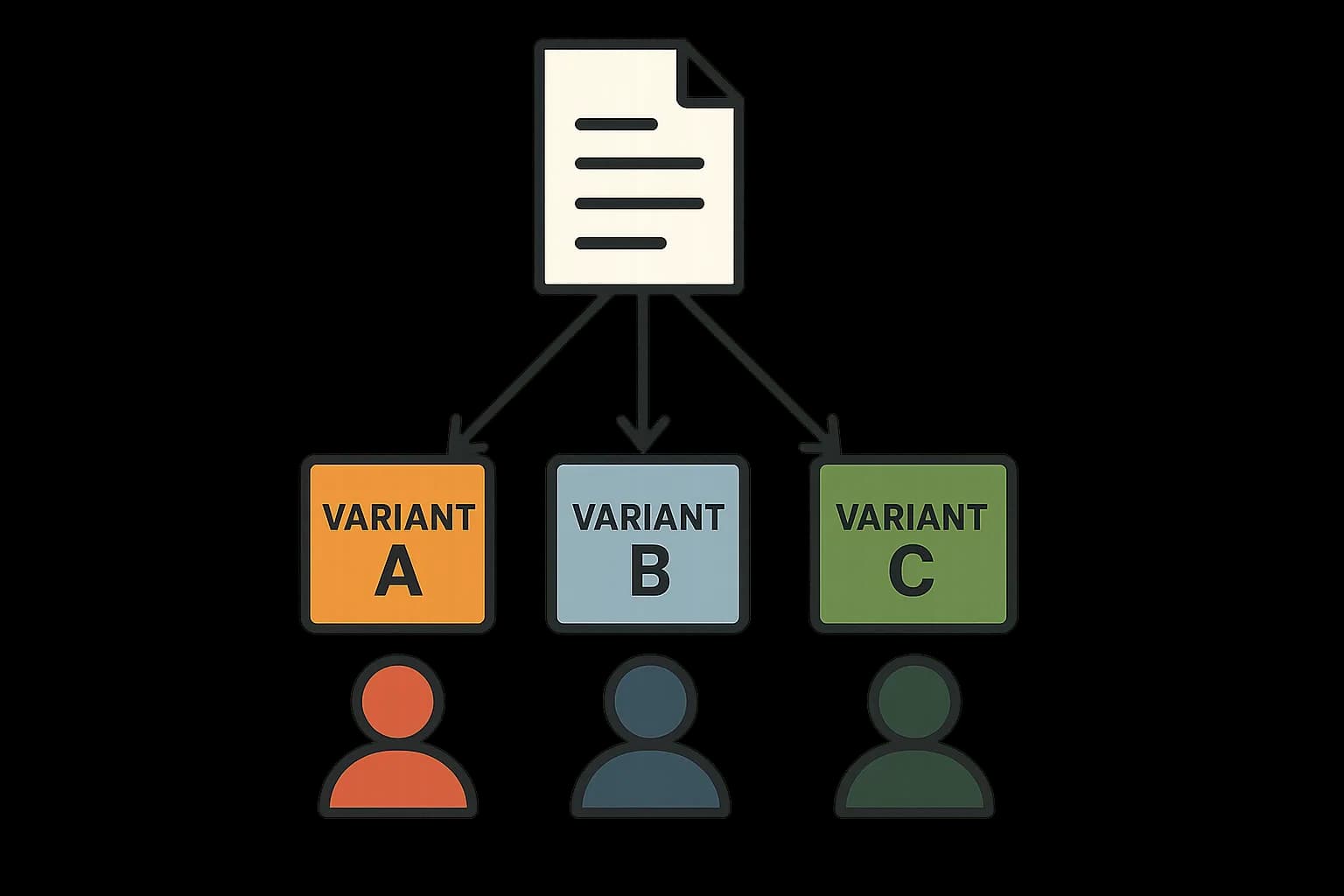
Content personalization means showing different content to different people. It depends on who they are, or where they're browsing from. A headless CMS supports this through its delivery API. Locale-scoped entries, audience-specific fields, content requests that vary by who's asking. This guide covers how that works under the hood. It also covers where personalization stops and localization starts.
Personalization vs Localization: Not the Same Thing
These two terms get used interchangeably. That's a mistake. Localization adapts content for a market: language, currency, images, cultural references. Everyone in that market sees the same localized version. Personalization goes further. It tailors content to one person, or a narrow group, based on behavior or profile data. Two people in the same country, viewing the same locale, can still see different personalized content.
A CMS handles both, but through different paths. Localization usually lives in the content model itself. A locale field, translated entry copies, a fallback rule when a translation is missing. Personalization usually lives in how the app requests and builds content. Which entry to show, which version to pick. That choice happens at request time, based on signals the CMS itself doesn't always hold.
How Locale-Scoped Content Works
A headless CMS with locale support stores content one of two ways. One entry with several language versions. Or separate entries linked by a shared reference. It depends on the platform. The delivery API takes a locale parameter. It returns the matching version. If no translation exists for that locale, a fallback rule kicks in. It usually falls back to a default language, not to nothing. Draftbase's entries support a locale parameter on delivery calls. That resolves to the matching language version of a field.
This is the base personalization builds on. It isn't personalization itself. Locale answers "what market is this for." Personalization answers "what does this one visitor need." The CMS alone usually can't answer that second question.
Where Personalization Logic Actually Lives
Here's the part most comparisons skip. A CMS rarely personalizes content on its own. It doesn't know who's viewing the page. It doesn't know what they clicked last time, or which group they belong to. That data lives elsewhere: an analytics tool, a customer data platform, session state in the app itself. The CMS's job stays narrow. Hold the different content versions. Let the app pick the right one at request time.
Here's a common pattern. The app figures out a visitor's group first: new or returning, by referral source, by stated preference. Then it asks the CMS for content tagged for that group. The CMS returns whichever entry or field version fits. The personalization choice, who is this and what do they want, happens outside the CMS. The content storage and delivery, here's the version that fits, happens inside it.
This split matters, and for a real reason. It keeps the CMS simple and fast. A delivery API that runs personalization logic on every request is slow and hard to cache. One that just serves a requested version stays fast. Keeping that choice in the app layer, close to session data, is both a speed win and a clean split of work.
Content Modeling for Personalization
The content model has to support variants before personalization can use them. A few common patterns work well. An audience field on an entry, like "new visitor" or "returning customer," that the app filters on. Component-level variants. One page points to different hero or banner pieces per group. The rest of the page stays as is. A/B variant entries. Two versions of a field, side by side. A testing tool picks one, not a group.
Component-level variants are usually the leaner choice. Copying an entire page per audience means every small edit repeats across every copy. A component-level model changes only the parts that actually differ. A banner, a call to action, a headline. The rest of the page stays as one shared entry.
Caching Gets Harder With Personalization
A delivery API that gives the same answer every time is easy to cache at the edge. Personalization breaks that the moment one URL needs to return different content for different visitors. The common fix: cache the underlying content pieces, not the personalized page. The CMS serves and caches each piece as normal. The app builds the final personalized page from those cached pieces. That keeps the slow, uncacheable part, the group decision, as small and late as possible in the request path.
What Goes Wrong Without This Split
Skip the split above, and a common failure shows up fast. A team builds personalization logic straight into a page template, checking a user's segment inline before rendering. Every page load now runs that check. Every cache layer in front of it gets skipped. The response can no longer be shared across visitors. Traffic grows, and the CMS starts serving every single request fresh, no caching benefit left at all.
The fix isn't removing personalization. It's moving the decision earlier, and moving it out of the CMS's own render path. Decide the segment once, close to the session data that already knows it. Then ask the CMS for a specific content variant by name, the same way any other cacheable request works. The CMS never has to know why that variant was picked, only which one to return.
Real Use Cases
Locale-scoped pricing pages are a plain CMS-driven case. Currency and plan names differ by region. One entry, several locale versions, the delivery API picks by request locale. A returning-visitor homepage banner is a personalization case. The CMS holds both banner versions. The app's session state decides which one to ask for. An enterprise multi-region content hub blends both. Locale covers language and currency. Audience fields cover team-specific sections. See headless CMS examples for a fuller look at that enterprise case.
Conclusion
A headless CMS enables personalization by storing content in versions and serving the right one on request. It rarely decides which version to serve on its own. That choice belongs to the app. It's based on session data, behavior signals, or stated preferences. The CMS was never meant to hold that. Locale-scoped entries and a flexible delivery API are the base. The personalization logic itself sits one layer up. A content model can start to strain under too many variants. Draftbase's field-level content model holds that shape. No need to copy whole pages per group.
Ship content that's built to be found
Draftbase generates schema, structured data, and a fast MDX editor for every post.
Frequently asked questions
Is content personalization the same as translating a page for a market?
No. Translating a page serves a whole market. Personalization serves one visitor, or a small group.
Does a headless CMS decide who sees what?
Rarely. The CMS just stores each version and serves the one asked for. The app picks which version, based on session data.
What happens if a translation is missing?
The API falls back to a default language. It won't return nothing.
Why is personalized content hard to cache?
A personal response can't be shared across visitors. The fix: cache each content piece on its own, not the final built page.
What's the simplest way to build personalized content?
Only change the parts that differ, like a banner or headline. Keep the rest of the page as one shared entry.
Working with this hands-on? Draftbase also has a free supabase rls checker.