
Headless CMS vs WordPress: Should You Go Headless?
Headless CMS vs WordPress compared on speed, security, cost, and editing. See when headless wins, when WordPress wins, and where headless WordPress fits.
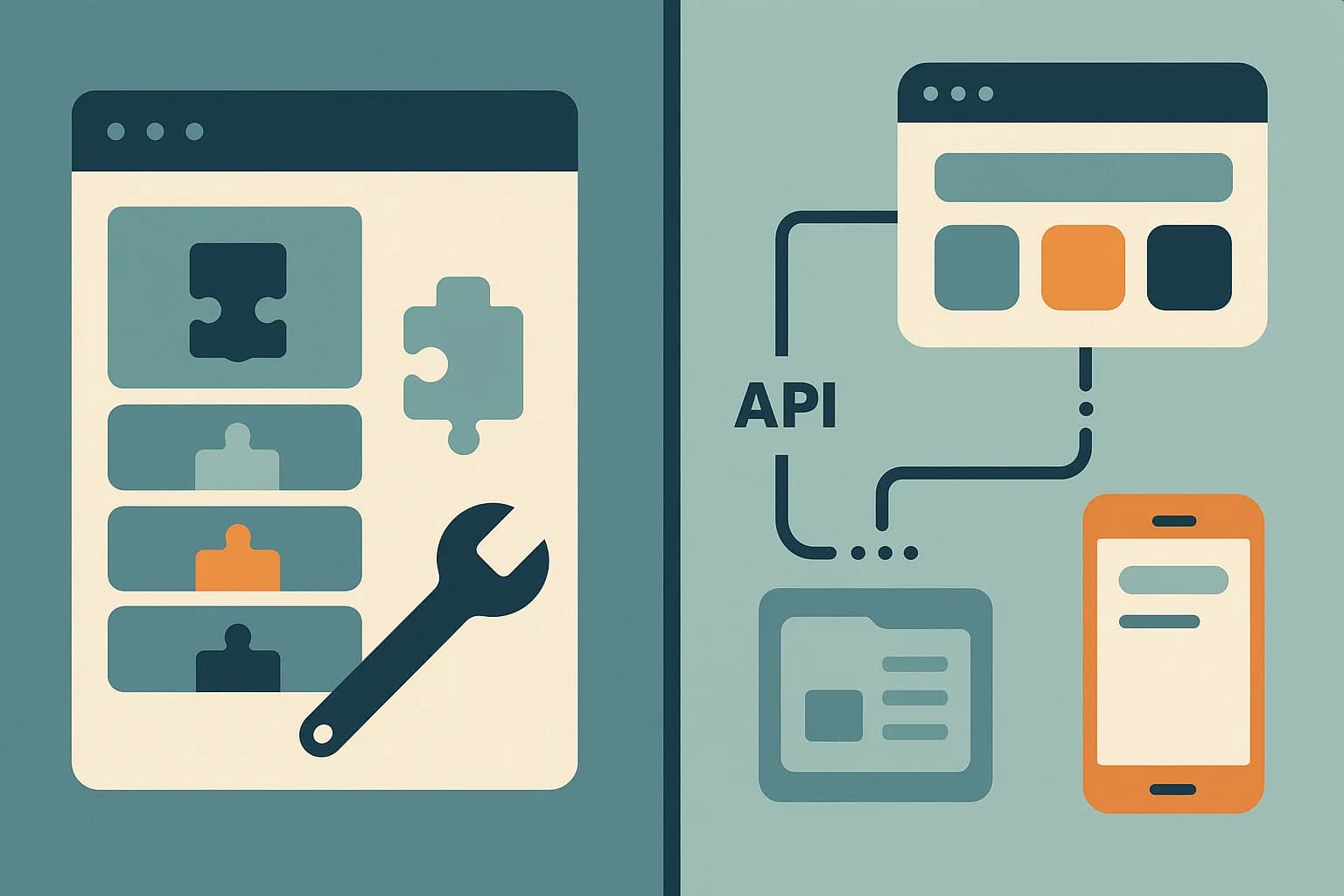
Pick WordPress when one team needs to build and edit one site with no developer on call. Pick a headless CMS when content must reach several surfaces, or when a React front end already exists. WordPress still runs about 40.7% of all websites, so this choice comes up often. (W3Techs, Aug 2026). This guide compares the two on speed, security, cost, and editing. Draftbase sits on the headless side, built for React teams who want plain MDX.
The Core Difference
WordPress bundles content, admin, themes, and plugins into one install. It renders pages itself. That's a full-stack product.
A headless CMS stores content and serves it over an API. It renders nothing. Your front end owns all display code.
There's a third option worth naming: headless WordPress. That keeps the WordPress admin but drops its theme layer, then serves content over the REST API or WPGraphQL. It's a real path, and it comes with its own tradeoffs below.
Speed and Core Web Vitals
Headless setups usually win here, but not by magic.
A headless CMS paired with Next.js can serve static pages from a CDN. The CMS never touches the request. That's why these builds often beat plugin-heavy WordPress sites on Core Web Vitals. (Cosmic).
WordPress can close that gap. Caching, a CDN, and a trimmed plugin list get most of the way there. The catch is effort: speed is a maintenance job on WordPress and a default on a static headless build.
Security Surface
This is where the gap is structural, not just tuning.
WordPress is the most attacked CMS because it's the most used. Most breaches trace back to outdated plugins and themes. One weak plugin can expose the whole site. (Seahawk).
A headless CMS has less surface. There's no public admin bolted onto the site, no plugin code running in the render path, and no theme layer to exploit. The front end is often static files.
That doesn't make headless immune. API tokens still leak, and misconfigured permissions still bite. It does mean fewer moving parts to patch every month.
Editing Experience
WordPress wins here for non-technical teams, and it isn't close.
The block editor gives writers live layout control. Plugins add forms, SEO fields, and galleries in minutes. No developer is needed to launch a page.
A headless CMS gives editors structured fields instead of a canvas. Preview quality varies by platform. If your team wants drag-and-drop page building, plain WordPress is the honest answer.
Cost Over Time
The sticker price misleads on both sides.
WordPress software is free. The real bill is hosting, premium plugins, and maintenance hours. Plugin renewals and security work continue every year.
A headless CMS has a subscription or hosting cost, plus front-end build time upfront. Ongoing maintenance is usually lower, since there's no plugin fleet to update.
Short projects favor WordPress. Multi-year, multi-channel projects usually favor headless.
Headless WordPress: The Middle Path
Headless WordPress keeps the familiar admin and drops the theme.
Two API options exist. The REST API is built in since WordPress 4.7 and needs no plugin. WPGraphQL is a plugin that fetches nested data in one request instead of several. (Kinsta).
The usual advice is to start on REST. Switch to WPGraphQL once you're firing two or three REST calls for one logical query. (DreamDev).
The catch is that you now run two systems. You still patch WordPress and its plugins. You also build and host a front end. Many plugins don't expose data to the API without extra work, and the visual page builders stop working entirely.
Benefits of Headless WordPress Hosting
Running WordPress headless changes what "hosting" means. The WordPress install only has to serve API responses, not render pages, so it can sit on cheap, minimal hosting instead of a scaled-up managed-WordPress plan sized for public page traffic. Public traffic hits your front end's CDN, not the WordPress server.
That split narrows what's exposed to the internet. Visitors never load wp-content or a theme; they hit your Next.js build instead. That's a smaller day-to-day attack surface for the WordPress host to defend, on top of the render-path savings already covered above.
The tradeoff: your WordPress host still needs the same PHP version, plugin updates, and database backups a normal install does. Headless hosting doesn't remove WordPress maintenance. It just removes WordPress from the render path.
Headless WordPress with React
The standard stack is Next.js plus WPGraphQL. Query posts inside a Server Component, render them, cache the result. WordPress becomes the content store, and React owns every pixel.
One field decides most of the work. Both APIs return post bodies as an HTML string: content.rendered on REST, content on WPGraphQL. Your options are to inject it with dangerouslySetInnerHTML, or to run it through a parser like html-react-parser and swap tags for components. Neither gives you the same reuse as writing a component inline.
Three limits show up next. Custom fields need wpgraphql-acf or an equivalent before they appear in the schema. Draft preview needs authenticated requests, usually the WPGraphQL JWT plugin, since public queries only return published posts. And media URLs keep pointing at the WordPress host, so that server stays in your critical path even after the front end moves.
If WordPress isn't already in the picture, this path costs more than it returns. Starting fresh on React, a React CMS that stores MDX skips the HTML parse step: the body arrives as MDX, your components render inline, and there is no PHP host left to keep patched.
The Tradeoff Most Comparisons Skip
Here's the part that gets glossed over: headless WordPress keeps the maintenance cost of WordPress and adds the build cost of headless.
That's fine when the driver is a specific need, like reusing an existing editorial workflow or migrating in stages. It's a bad deal when the goal was simply "make the site faster."
If speed is the only goal, caching and plugin cleanup are cheaper. If the goal is multi-channel content and a React front end, a purpose-built headless CMS costs less to run than a decapitated WordPress.
That's the case for a lean option like Draftbase for React teams. Content is stored as plain MDX, the delivery API resolves references in one call, and there is no plugin fleet or PHP layer to keep patched. It won't replace WordPress for a marketing team that lives in the block editor. It's the better pick when developers own the front end.
Side by Side
| Factor | WordPress | Headless CMS |
|---|---|---|
| Page rendering | Built in, theme-based | Your front end |
| Speed | Good with tuning | Fast by default on static |
| Security surface | Large, plugin-driven | Smaller, API-only |
| Page building | Editors, no dev needed | Devs build, editors fill |
| Channels | One site | Many surfaces |
| Ongoing work | Plugin and core updates | Front-end code upkeep |
No row makes the whole decision. Two rows usually do: who builds pages, and how many surfaces need the content.
If You're Migrating Off WordPress
Most teams move in stages rather than all at once. A staged plan looks like this.
Start with one section, like the blog or docs. Model those entries in the new CMS. Leave the rest of the site on WordPress for now.
Point a path prefix at the new front end. Keep every old URL working. Redirects are where migrations usually lose traffic, so map them before launch.
Move the next section only once the first one is stable. A three-month staged move beats a one-weekend cutover that breaks search rankings.
Export first, and check the format before you commit to anything. A nested rich-text tree means writing a converter. Markdown or MDX means a file copy.
Which One Should You Pick?
Choose WordPress when:
- One website is the only channel
- Non-technical staff must build pages alone
- Budget is tight and the timeline is short
- You need niche plugin functionality quickly
Choose a headless CMS when:
- Content feeds a site plus an app or other surface
- Your team already writes React or Next.js
- Page speed is a hard requirement, not a goal
- Security review overhead needs to stay low
Choose headless WordPress when you must keep the WordPress admin for editorial reasons, but still need a custom front end.
Conclusion
WordPress vs headless CMS comes down to who builds the pages. WordPress hands page building to editors and charges you in maintenance and attack surface. A headless CMS hands display to developers and pays you back in speed, reuse, and a smaller security footprint. If your team writes React and wants content stored as portable MDX, start a Draftbase project. For broader context, read our headless CMS overview or the 2026 platform roundup.
| Option | Verdict | Pros | Cons |
|---|---|---|---|
| WordPress | Best when editors must build pages alone and one website is the only channel. |
|
|
| Headless CMS | Best when content feeds several surfaces and developers own the front end. |
|
|
| Headless WordPress | Only worth it when you must keep the WordPress admin but need a custom front end. |
|
|
Ship content that's built to be found
Draftbase generates schema, structured data, and a fast MDX editor for every post.
Frequently asked questions
Is a headless CMS better than WordPress?
Neither is better overall. Headless wins on speed, multi-channel reuse, and security surface. WordPress wins on page building for non-technical editors.
Is headless WordPress a good middle ground?
Only for a specific reason, like keeping an editorial workflow or staging a migration. It keeps WordPress maintenance and adds a front-end build on top.
Is a headless CMS faster than WordPress?
Usually, yes. Static pages served from a CDN skip the CMS entirely. A tuned WordPress site with caching can close much of that gap.
Is a headless CMS more secure than WordPress?
It has a smaller surface. There's no public theme or plugin code in the render path. API tokens and permissions still need care.
Should I use REST or WPGraphQL for headless WordPress?
Start with the built-in REST API. Move to WPGraphQL once you're making two or three REST calls for one logical query.
Is WordPress a headless CMS?
Not natively — it ships its own theme layer and renders pages itself. It can be run headlessly by dropping the theme and serving content through its built-in REST API or the WPGraphQL plugin, which is the "headless WordPress" path covered above.
Working with this hands-on? Draftbase also has a free supabase rls checker.