
Schema-Driven Content Modeling and Type-Safe Content APIs
Schema-driven content modeling explained: one schema feeds the editor UI, write checks, and generated TypeScript types for a type-safe content API.
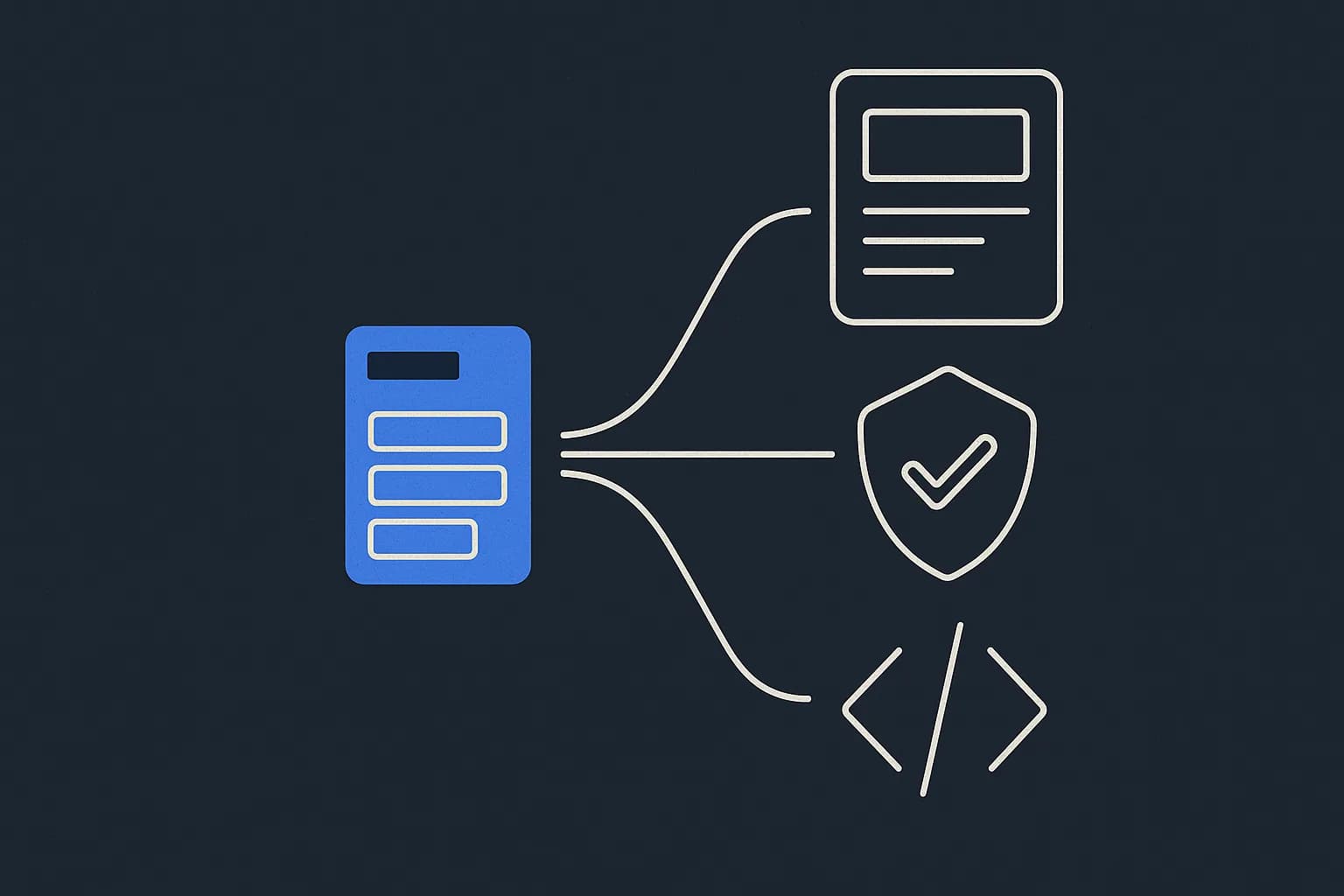
Schema-driven content modeling means your content schema is a real thing other tools read, not a diagram in a doc. You define the fields once. The CMS then builds the editor UI, checks writes, and hands your app TypeScript types from that same source. That's the whole idea. Draftbase calls those schemas templates, and ships a draftbase-sync CLI that writes a .d.ts from them. Here's what a typed content API can promise, what it can't, and where you still need a runtime check.
New to the concept side? Start with what content modeling is, then come back. This one is about types, validation, and generated clients.
What does schema-driven content modeling mean for developers?
It means the schema runs. Something reads it and does work.
Without it, the model lives in a Notion page and a Figma file. Someone builds an editor form by hand. Someone else writes the TypeScript interfaces by hand. The two drift within a sprint. Nobody notices until a field renders as undefined in production.
Schema-driven flips the order. One source, three readers: the admin UI, the write check, and the type generator. Change a field once. All three follow.
Content model vs content schema: are they the same thing?
Close, but not the same. The gap matters when you're arguing about scope.
The content model is the design. Which types exist, what they mean, how they relate. An article has an author. A product belongs to a category. That's modeling work. It's mostly a conversation.
The content schema is that design in a form a machine reads. Field keys, types, required flags, rules. It's what a codegen tool parses.
You can have a model with no schema. You'll regret it. A schema with no model is worse. The schema only writes down calls the model already made.
Should the schema live in the CMS or in the repo?
Two camps, and both work. Pick on who edits the schema.
Code-first schemas
Payload and Sanity define schemas in TypeScript files in your repo. The schema sits in git, so it gets reviewed. Sanity Studio draws its editing UI from it. Change a field, open a PR, deploy.
Great when developers own the model outright. Slower when a content lead wants a new field on Tuesday and the next deploy is Thursday.
UI-first schemas with codegen
Contentful and Draftbase define schemas in a dashboard, then build types from them. The model changes with no deploy. Your types catch up when you run codegen.
The tradeoff is real. Schema changes aren't in git, so a field rename never shows up in a diff. Track it through the CMS audit log instead.
What does a typed content API actually generate?
A concrete case. Draftbase's draftbase-sync CLI reads your templates over the management API, then writes a .d.ts:
npx draftbase-sync --api-key $DRAFTBASE_API_KEY --out draftbase-types.d.ts
The output is one interface per template, plus a lookup map:
// Generated by `draftbase-sync`. Do not edit by hand.
export interface BlogPostFields {
	title: string;
	slug: string;
	metaDescription?: string;
	content: string;
	tags?: unknown;
}

export interface ContentTypeFieldsMap {
	"blogPost": BlogPostFields;
}
Look at the optional marker. A field marked required comes out non-optional. Everything else gets ?. That one rule catches most of the undefined bugs a hand-written interface lets through.
How field types map to TypeScript
The mapping is small on purpose. The small parts are the interesting ones.
| Field type | TypeScript |
|---|---|
text, richText, date | string |
number | number |
boolean | boolean |
media, reference | string |
json | unknown |
richText is string because Draftbase stores MDX as plain text, not a vendor node tree. json is unknown on purpose. No generator can know the shape of a free-form JSON blob. Typing it any would be a lie that compiles.
Where does schema validation actually happen?
Two boundaries, and teams usually only defend one.
The write boundary is the CMS. Required fields, field types, reference integrity. Draftbase blocks deleting an entry that another entry points at. It checks required fields at publish time, not create time. So a draft can be incomplete. A published entry can't.
The read boundary is your app. People skip this one, because generated types feel like a guard. They aren't. Types vanish at runtime.
Parse any field the generator types as unknown. Zod, Valibot, a hand-written type guard, whatever you already have. Three lines at the fetch boundary beats a crash in a render tree.
The underused angle: generated types are a snapshot, not a guarantee
Here's what nobody says out loud about typed content APIs.
Codegen runs at one moment in time. Your .d.ts describes the schema as it was when you last ran the CLI. It says nothing about what the API hands you on the next request.
So there's a window. Someone adds a required field in the dashboard on Wednesday. Your build ran Monday. TypeScript is confidently green about a shape that no longer exists.
None of this is unique to Draftbase. Every UI-first CMS with codegen has the same gap. Every code-first CMS swaps it for a deploy-to-change-a-field tax. But it's the failure worth designing around, and it has two cheap fixes.
First, run codegen in CI, not just on a laptop. A type-check against yesterday's schema is theatre. Second, treat the delivery response as untrusted at the boundary, then trust it everywhere inside. It's the same habit you'd apply to any third-party API. A CMS is a third-party API your own team can change.
GraphQL and content schemas
GraphQL makes the schema question look solved, because the schema ships with the API.
Point graphql-codegen at a Draftbase GraphQL endpoint and you get types per query, not per template. That's a real gain. A query that picks three fields yields a type with three fields. You can't read a field you didn't ask for.
REST codegen types the whole entry instead, simpler to set up, looser at the call site. Draftbase serves both, so this is a per-project call, not a platform one. Pick GraphQL when your queries vary a lot and over-fetching costs you. Pick REST when the shape is stable and one codegen pipeline is enough.
When is schema-driven modeling overkill?
It can be. Two cases where the ceremony costs more than it saves.
The first is a site with one content type and one author. A personal blog with 12 posts does not need generated types. You know every field by heart. Adding a codegen step buys you a CI job to maintain and nothing else.
The second is a model still in flux. If the shape of a content type changes twice a week, every change means a schema edit, a codegen run, and a round of type errors to fix. That churn is real work. Sketch the model in plain fields first, let it settle for a few weeks, then lock it down.
There's also a soft version of this that hits bigger teams. Over-modeling. Someone splits article into article, newsArticle, and featureArticle because the design mocks looked different. Now three templates carry the same nine fields, and every query has to handle all three.
The rule of thumb: split a template when the fields genuinely differ, not when the layout does. Layout is a rendering call, and a layout field handles it in one line. A new template is a schema change, a codegen run, and a branch in every query that reads it.
Designing content models you can reuse
A schema you can generate types from is not automatically a schema worth having.
Three habits do most of the work. Model the thing, not the page. An author template beats an authorName text field copied onto six other templates. Use references for anything with its own lifecycle, plain fields for anything else. And resist reaching for a json field as an escape hatch. That's where type safety goes to die.
The content type reference covers field-level design in more depth. The short version: every json field you add is a boundary you now have to validate by hand.
Start with one template
Pick your highest-traffic content type. Define it as a schema with required flags set honestly, generate types from it, and add a runtime parse for any json field. That's an afternoon, and it removes a whole class of production bug.
Draftbase fits this workflow. The schema, the editor UI, the field checks, and the generated types all come from one template. A CLI writes the .d.ts in one command. REST and GraphQL delivery are both there, so codegen isn't a lock-in call. The Hobby plan is free. The Startup plan is $49/mo, both listed on the headless CMS pricing page.
Ship content that's built to be found
Draftbase generates schema, structured data, and a fast MDX editor for every post.
Frequently asked questions
What does schema-driven content modeling mean for developers?
It means one schema definition drives three things: the editor UI, the write-time validation, and the generated TypeScript types. Change a field once and all three follow.
What is the difference between a content model and a content schema?
The content model is the design: which types exist and how they relate. The content schema is that design in machine-readable form, with field keys, types, and required flags.
How do you get a type-safe content API from a headless CMS?
Run codegen against the CMS schema. Draftbase's draftbase-sync CLI writes a .d.ts with one interface per template, marking required fields non-optional and json fields as unknown.
Do generated types replace runtime validation?
No. Types disappear at runtime, and codegen only describes the schema as of the last run. Parse any unknown-typed field at the fetch boundary with Zod or a type guard.
Should content schemas live in code or in the CMS dashboard?
In code when developers own the model and want schema changes in git. In the dashboard when content leads add fields often and a deploy per field change is too slow.
How does content versioning work with a schema-driven CMS?
Versioning happens at the entry level, not the schema level: every write to a published entry keeps its prior revision, so an editor can roll back a bad publish without touching the underlying template. The schema itself changes separately, through the code-first or dashboard workflow covered above — a content workflow (draft, review, publish) is what controls when a new revision goes live, not what fields exist on it.
Working with this hands-on? Draftbase also has a free json to typescript.