
How to Build an MCP Server: Examples and Tutorial
How to build an MCP server: define your tools, pick stdio or HTTP transport, and ship on the stateless 2026 spec. Real TypeScript and Python code.
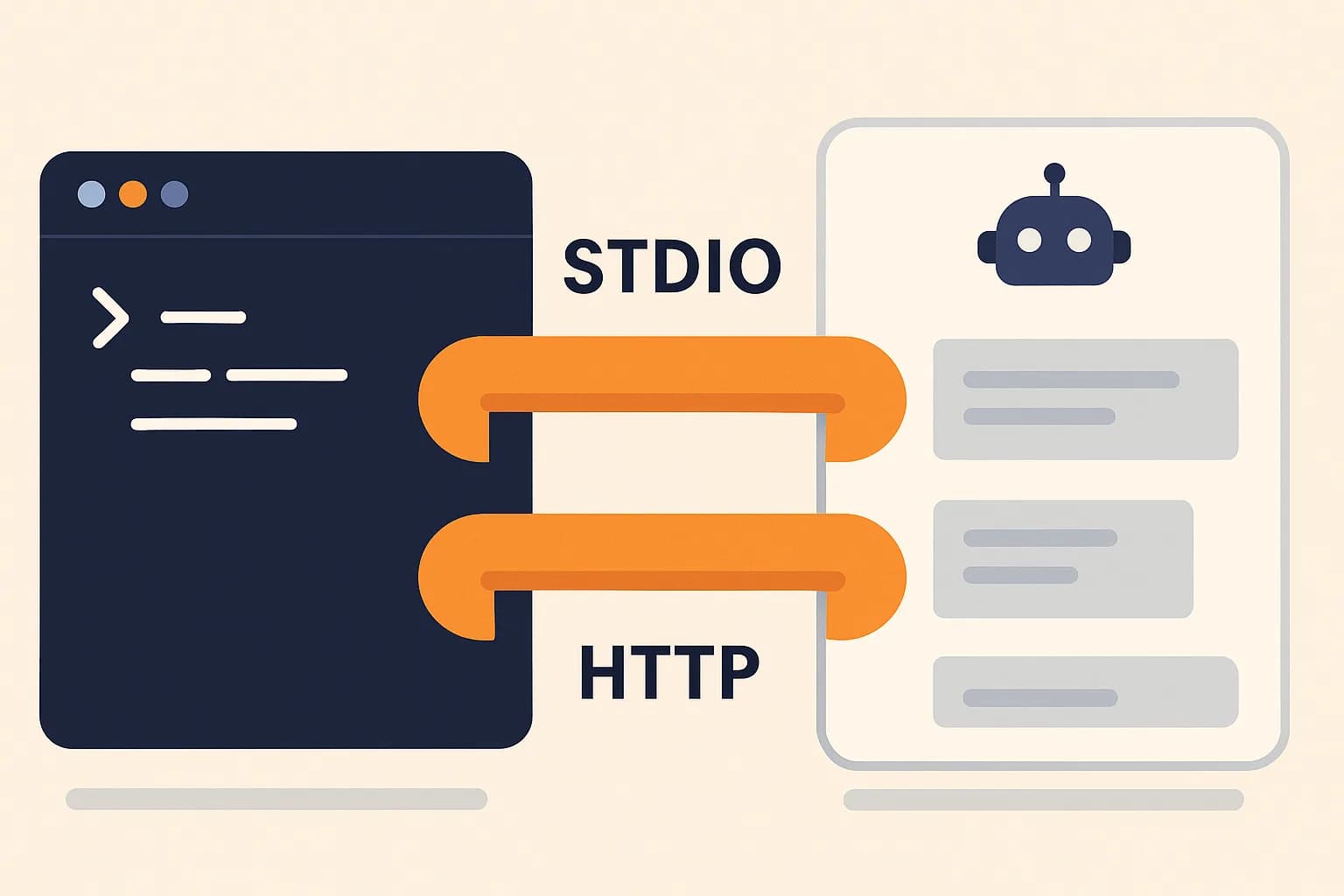
Building an MCP server takes three things: a list of tools, an SDK that exposes them, and a transport that carries the calls. A working server is about 40 lines of TypeScript. The code is the easy half. Picking a transport and keeping the thing reachable is where most servers fall over.
This guide covers both halves. The worked example is Draftbase's own MCP server, a real one with 26 tools that runs on Lambda over HTTP. If you want the concept first, start with what an MCP server is and come back. For how the client and server sides fit together, see how MCP clients and servers work together.
What You Need Before You Start
Node.js 20 or newer, TypeScript, and an API or data source worth exposing. That last one matters most. An MCP server is a wrapper. It's only as useful as the thing it wraps.
You also need a client to test against. Claude Code and the MCP Inspector both work, and the Inspector needs no config at all.
One more thing to settle up front: who calls this server. A local dev tool that reads files on your laptop wants a different transport than a hosted API used by other people. That choice shapes everything else.
Tools, Resources, and Prompts
A server can expose three kinds of thing. Most only need the first.
Tools: what the model calls
Tools are functions the model can call. Create an entry, run a query, send a message. This is where nearly all the value sits.
Resources: what the model reads
Resources are read-only data a client can pull in, addressed by URI. Think a file, a config blob, or an API response the model reads rather than calls.
Prompts: saved templates
Prompts are saved templates a user picks by name. They shape a task instead of doing one.
Ship tools first. Add resources when a client keeps calling a tool just to read the same static thing. Prompts are worth it only when a workflow repeats often enough to name.
Define the Tools Before You Write Code
A tool is four parts: a name, a description, an input schema, and a handler. The model never sees your code. It sees the name and the description, and picks from those.
So write the description for the model, not for a README. Say what the tool does and when to reach for it. "Get a single template by id, including its full field schema" beats "template getter."
Keep arguments flat. Deeply nested objects break more often, since the model has to build the whole shape in one shot. In TypeScript, Zod gives you the schema and the types at once:
server.tool(
	'get_template',
	'Get a single template by id, including its full field schema',
	{ id: z.string() },
	async ({ id }) => {
		const response = await backendFetch(`/templates/${id}`, auth);
		return { content: [{ type: 'text', text: await response.text() }] };
	},
);
That's real code from Draftbase's server. Every tool follows the same shape, which is the point: once one works, the next twenty-five are copy and edit.
Pick a Transport: stdio or Streamable HTTP
There are two live transports. Pick by who runs the process.
When to use stdio
stdio means the client spawns your server as a child process and talks over standard input and output. No network, no auth, no deploy. It's the right pick for a tool that touches local files or a local database.
When to use Streamable HTTP
Streamable HTTP means your server is a web service. Any client with the URL and a token can call it. That's the pick for anything multi-user or hosted. The older HTTP+SSE transport is deprecated, so don't build on it.
stdio vs Streamable HTTP at a glance
| stdio | Streamable HTTP | |
|---|---|---|
| Who runs it | The client, as a child process | You, as a web service |
| Auth | None. Trust is local | Required. OAuth or a token |
| Deploy step | None | Host it, watch it, patch it |
| Users | One, on one machine | Many, anywhere |
| Good for | Local files, local databases, dev tools | Hosted APIs, team tools, SaaS |
Start on stdio even when the end goal is HTTP. The tool shapes are the same, and you skip auth while you're still changing your mind about them.
Which SDK Version to Install
This trips people up in 2026, because there are two live lines.
v1 and v2 packages
The v1 package is @modelcontextprotocol/sdk, which implements the 2025 spec revisions. The v2 line splits into @modelcontextprotocol/server and @modelcontextprotocol/client, and implements the 2026-07-28 spec. v1 still gets bug and security fixes for at least six months after v2 shipped. That's per the TypeScript SDK migration guide.
A minimal v2 server
On v2, a stateless HTTP server is the default shape:
import { createMcpHandler, McpServer } from '@modelcontextprotocol/server';

const handler = createMcpHandler(() => {
	const server = new McpServer(
		{ name: 'my-server', version: '1.0.0' },
		{ capabilities: { tools: {} } },
	);
	// register tools here
	return server;
});
Start new work on v2. Reach for v1 only when a client you must support hasn't moved yet.
Building the Same Server in Python
Python is the other first-class option, and the setup is shorter. Install the SDK with uv add "mcp[cli]", then the whole server is a decorator and a run call:
from mcp.server import MCPServer

mcp = MCPServer("weather")

@mcp.tool()
async def get_alerts(state: str) -> str:
	"""Get weather alerts for a US state.

	Args:
		state: Two-letter US state code (e.g. CA, NY)
	"""
	return await fetch_alerts(state)

if __name__ == "__main__":
	mcp.run(transport="stdio")
Two details matter here. The docstring becomes the tool description the model reads, so write it for the model. And the type hints become the input schema, which is why state: str is enough on its own.
Note the class name. Older tutorials still import FastMCP; the current docs use MCPServer. If you copy a 2025 quickstart, that's the first line to check.
What the 2026-07-28 Spec Changed
The current spec made MCP stateless, and that's a bigger deal for deployment than for code.
What the spec removed
Protocol-level sessions are gone, along with the Mcp-Session-Id header. The initialize and notifications/initialized handshake is gone too. Each request now carries its protocol version and client capabilities in _meta. The keys look like io.modelcontextprotocol/protocolVersion. Servers must add server/discover so a client can ask what they support.
What changed for deployment
Two more changes matter when you deploy. HTTP POSTs now carry Mcp-Method and Mcp-Name headers, so a load balancer can route without reading the body. List results carry ttlMs and cacheScope, so a client can cache your tool list instead of asking again. Both are in the official changelog.
Roots, sampling, and logging are deprecated. Don't add them to a new server.
Why older MCP tutorials mislead
This is why copying an older tutorial hurts. Most of the guides ranking for this topic were written against the 2024 or 2025 protocol. They show an initialize handshake, a session id header, and sampling calls back to the client. All three are gone or on the way out. The code still runs against old clients, and it teaches a shape you'll have to unlearn.
Test It Before Wiring Up a Client
Run the Inspector first. It gives you a browser UI, no client config needed:
npx @modelcontextprotocol/inspector
Fire each tool by hand and read what comes back. You're checking two things. Does the call succeed, and is the response small enough to be worth a model's context.
That second check gets skipped a lot. A tool that dumps a 40KB JSON blob works fine in the Inspector and wrecks a real conversation. Trim fields, truncate long values, and let the caller ask for more.
Once the Inspector is happy, wire it into a real client.
Wiring It Into a Client
Claude Desktop config for a stdio server
A stdio server isn't a service, so the client needs to know how to launch it. In Claude for Desktop that's a JSON config file, and the command is whatever runs your script:
{
	"mcpServers": {
		"weather": {
			"command": "uv",
			"args": ["--directory", "/abs/path/to/weather", "run", "weather.py"]
		}
	}
}
Use an absolute path. A relative one resolves against the client's working directory, not yours, and that's the single most common reason a server "doesn't show up."
Adding a hosted server by URL
A hosted server is easier, since there's nothing to launch. Point the client at the URL and let it handle the login:
claude mcp add --transport http draftbase https://mcp.draftbase.co/mcp
Restart the client after either change. Tool lists get read at startup.
When the Model Ignores Your Tool
The server runs, the client lists the tool, and the model still doesn't call it. Four causes cover almost every case.
The description is vague. "Handles content" tells the model nothing about when to use it. Name the object and the action.
Two tools sound alike. get_entry and fetch_entry in one server means the model picks by coin flip. Merge them or make the split obvious in both descriptions.
The schema asks too much. A required field the model can't know, like an internal id, stops the call before it starts. Make those optional, or add a lookup tool that returns the id first.
There are too many tools. Every tool spends context. Past roughly thirty, picking gets noticeably worse. Draftbase's server sits at 26 for that reason, and its list is grouped by object type rather than by API route.
If none of those fix it, ask the model directly. It'll tell you what it thought the tool did, and that answer is usually the description you should have written.
Deploying a Remote MCP Server
A stateless protocol runs fine on plain serverless hosting. No sticky sessions. No shared memory between calls.
A per-request server on Lambda
Draftbase's server builds a fresh McpServer and transport inside each POST, then tears both down:
const server = new McpServer({ name: 'draftbase', version: '0.1.0' });
registerTools(server, auth);

const transport = new StreamableHTTPServerTransport({ sessionIdGenerator: undefined });
await server.connect(transport);
await transport.handleRequest(request.raw, reply.raw, request.body);
One honest limit: a bare GET /mcp opens a long-lived notification stream, and Lambda can't hold a connection past its timeout. So that route answers 405, which the spec allows. If your server needs to push notifications, run it somewhere that keeps a process alive.
Auth on a public endpoint
Auth is the other half of shipping. Draftbase uses OAuth 2.1 with PKCE. It also serves /.well-known/oauth-protected-resource, so a client knows where to log in after a 401.
The Underused Angle: Most Remote Servers Don't Answer
Nearly every tutorial stops at "it works on my machine over stdio." The ecosystem data says that's the easy part.
How many remote MCP servers are actually reachable?
A July 2026 ecosystem report graded 9,326 remote MCP servers. 7,723 answered. 1,603 did not. That's 17.2% with a dead endpoint. Median response time among the live ones was 233 ms. (MCP Queen, July 28, 2026).
How many run with no auth?
The auth numbers are worse. 5,201 servers, 55.8% of them, are open with no auth. Another 640 claim auth and then reject requests wrong.
Read that as a checklist. Watch the endpoint. Add real auth before launch. Return a response the model can use. Those three put you ahead of most of the registry, and no quickstart covers them.
When Is an MCP Server the Wrong Build?
Not every API needs one. Three cases where you should skip it.
A one-off script
The first case is a one-off script. If a single prompt plus a curl call gets the job done, a server adds setup for no gain. Write the script.
An API the model already knows
The second is an API the model already knows how to call. A public REST API with good docs is often fine as a plain fetch inside your own code. MCP earns its keep when the model picks the call, not when you do.
A read path that returns huge blobs
The third is a read path that returns huge blobs. Log search, big exports, raw analytics dumps. Every result eats context. Better to return a summary and a link, or narrow the tool so it can only ask small questions.
Slow work is fine, though
There's a fourth case that looks like the others but isn't. Slow work, like a build or a long import, still fits fine. Return a job id, then add a second tool that checks it. Short calls, no held connection.
Common Mistakes
Descriptions written for humans. The model reads them as instructions. Vague descriptions produce wrong tool picks.
One tool per REST endpoint. Map to tasks instead. Draftbase's 26 tools cover templates, entries, media, revisions, and scheduling, not every route in the API.
Assuming state between calls. Sessions are gone from the protocol. If a call needs context from an earlier one, return a handle and take it back as a normal argument.
Printing to stdout in a stdio server. The official docs are blunt about it: writing to stdout corrupts the JSON-RPC messages and breaks your server. That means no print() in Python and no console.log() in TypeScript. Log to stderr instead.
Skipping auth on a remote server. A write tool with no auth on a public URL is a public write API.
Conclusion
Start with stdio and the Inspector to get the tool shapes right, then move to Streamable HTTP once other people need access. Write tool descriptions the model can act on. Trim responses. Add auth and a health check before you publish the URL anywhere.
If you'd rather read a full server before writing one, Draftbase ships a 26-tool MCP server. It creates templates, writes entries, and publishes content, all over the stateless HTTP transport above. The Hobby plan is free, and a working server teaches more than a hello-world. See the plans.
How to
- 1Pick what the server exposes
List the tasks the model should be able to do, not the API routes you already have. Each one becomes a tool with a name, a description written for the model, and a flat input schema.
- 2Install the SDK
For new work install the v2 TypeScript packages, @modelcontextprotocol/server and @modelcontextprotocol/client, or the Python SDK with uv add "mcp[cli]".
- 3Register the tools
Define each tool with its schema and handler. In TypeScript use Zod for the schema; in Python the type hints and docstring become the schema and description.
- 4Pick a transport
Use stdio when the client runs your server as a local child process. Use Streamable HTTP when the server is hosted and other people call it. HTTP+SSE is deprecated.
- 5Test with the MCP Inspector
Run npx @modelcontextprotocol/inspector, fire each tool by hand, and check both that the call succeeds and that the response is small enough to be worth a model's context.
- 6Wire it into a client
For stdio, add the launch command to the client's JSON config using an absolute path. For a hosted server, run claude mcp add --transport http with the URL. Restart the client afterwards.
- 7Deploy and secure the remote server
A stateless server runs on plain serverless hosting with a fresh server instance per request. Add OAuth 2.1 with PKCE, publish the protected-resource metadata, and monitor the endpoint.
Ship content that's built to be found
Draftbase generates schema, structured data, and a fast MDX editor for every post.
Frequently asked questions
How long does it take to build an MCP server?
Not long. A working server is about 40 lines of TypeScript. Install the SDK, add one tool with a name, a description, and a Zod schema, then connect a transport. Trying it in the MCP Inspector takes a few more minutes.
Should I use stdio or Streamable HTTP?
Use stdio when the client runs your server as a local child process, like a tool that reads files on your laptop. Use Streamable HTTP when the server is hosted and other people call it. HTTP+SSE is deprecated, so skip it.
Which MCP SDK version should I install?
Install v2 for new work. The v2 packages are @modelcontextprotocol/server and @modelcontextprotocol/client, and they follow the 2026-07-28 spec. The v1 package, @modelcontextprotocol/sdk, still gets fixes for at least six months after v2 shipped.
What did the 2026-07-28 MCP spec change for server builders?
It dropped protocol sessions, the Mcp-Session-Id header, and the initialize handshake. Each request now carries its version and its client traits in _meta. So a server can run on serverless hosting with no sticky routing.
Does an MCP server need authentication?
Yes, and most do not have it. A July 2026 report found 5,201 of 9,326 remote servers open with no auth. Use OAuth 2.1 with PKCE, and serve the well-known metadata file so clients know where to log in.
What are MCP server best practices?
Write tool descriptions for the model, not a README. Keep argument schemas flat. Trim response payloads so a single call doesn't eat a model's context. Add real auth before a remote server goes public. And don't assume state between calls — sessions are gone from the 2026-07-28 spec.
Is there a good MCP server generator?
There isn't one universal generator worth trusting yet — the protocol changes too fast for third-party scaffolding tools to stay current. Both official SDKs ship their own quickstart scaffold instead, which is the faster and more reliable starting point; see the TypeScript and Python examples above.
Working with this hands-on? Draftbase also has a free mcp inspector.