Headless Commerce Platforms: What They Are and How to Pick One
A headless commerce platform splits checkout and inventory from the storefront. See what MACH means, which platform fits your team, and where a CMS fits in.
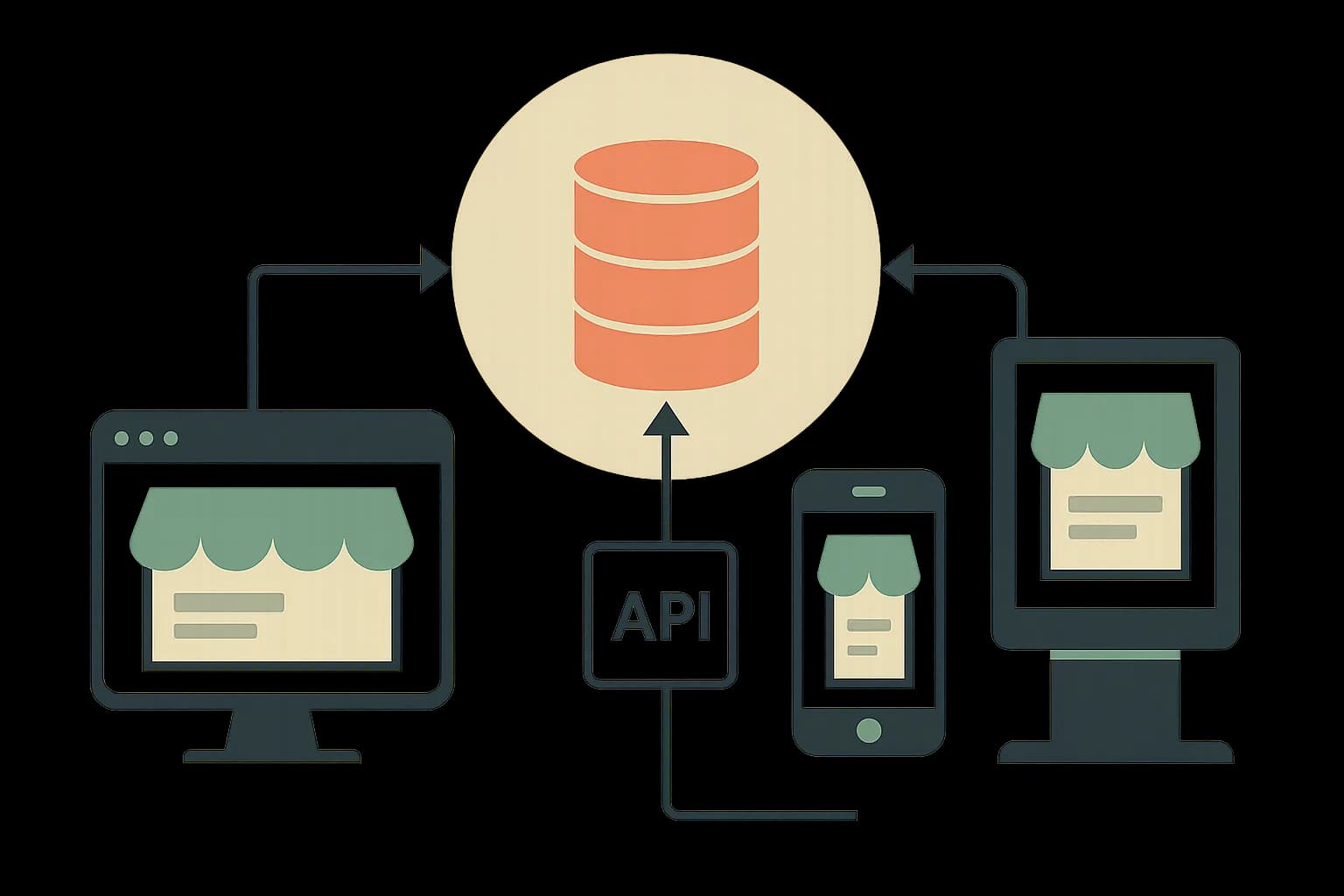
A headless commerce platform is the backend half of a store: checkout, inventory, and pricing behind an API, no storefront attached. Content like product guides and campaign pages usually comes from a separate CMS, joined by a shared SKU.
A headless commerce platform runs checkout, inventory, and pricing as a backend service with no storefront attached. You build the storefront yourself, in any framework, and pull data over an API. The category is growing fast. The market moved from $2.04B in 2025 to a projected $2.41B in 2026. That's a 22.4% CAGR through 2032 (Coherent Market Insights). This guide covers what the term means, where MACH fits in, and how to pick between open-source, enterprise, and SaaS options.
What Is a Headless Commerce Platform?
A traditional ecommerce platform bundles the storefront and the backend into one product. Shopify's default theme system, Magento's templates, WooCommerce's WordPress pages: all one shippable unit. Change the backend and the frontend often breaks with it.
A headless commerce platform cuts that bundle in half. The backend owns product data, cart state, checkout, tax, and payments. It exposes all of that over a REST or GraphQL API. The frontend is its own codebase. You write it, host it, and rebuild it on your own schedule.
Nothing about "headless" says which framework you use. Next.js, Astro, a native mobile app, or a kiosk display can all read from the same backend at once. One commerce engine feeds several frontends. No redeploy of the backend to change any of them.
Where MACH Fits In
MACH shows up in nearly every headless commerce pitch. Worth defining once instead of nodding along. It stands for Microservices, API-first, Cloud-native, and Headless (MACH Alliance).
Each letter does real work. Microservices means checkout, search, and reviews ship as separate services, not one big block of code. A bug in reviews can't take down checkout. API-first means each service is built to be called from outside, not bolted on later. Cloud-native means the vendor runs and scales the servers, not your ops team. Headless is the piece covered above.
Not every headless platform is fully MACH. A vendor can be headless without running true microservices below it. The term gets stretched in ads more than the spec backs up. Treat MACH as a checklist to grill a vendor with, not a badge that proves anything on its own.
The Headless Commerce API in Practice
Each headless commerce platform exposes a similar API shape. Field names differ, the shape doesn't. A usual product-fetch call looks like this:
GET /store/products/{id}
Authorization: Bearer <api-key>

{
  "id": "prod_01H...",
  "title": "Ceramic Mug",
  "variants": [{ "sku": "MUG-BLK", "price": 1800, "inventory_quantity": 42 }],
  "images": [{ "url": "https://cdn.example.com/mug.jpg" }]
}
Price is in cents. Inventory is a live count. The response has no layout or styling baked in. Your frontend decides how it renders. A traditional platform works the other way. Its server sends HTML, and markup and data arrive together. You're stuck editing a template to change either one.
Here's the tradeoff the marketing deck skips: your team now owns the parts that used to be the platform's job. Cart UI, checkout flow, error states, loading skeletons. A headless commerce API gives you the data. It does not give you a storefront.
The Three Categories of Headless Commerce Solutions
Vendors split into three groups by pricing model and who they're built for. That split shows up across most comparisons (Vendure).
Open-Source, Self-Hosted
Medusa (Node.js), Saleor (Python, GraphQL), and Vendure (Node.js, GraphQL) all fall here. No license fee, full source access. Run the servers yourself, or pay a cloud partner to run them for you. The real cost is engineer hours, not a subscription line.
Enterprise Composable
commercetools and Elastic Path target large catalogs and complex B2B pricing rules. Both charge enterprise prices. Both expect a dedicated rollout team. This tier makes sense once catalog or order volume gets too big. A small team can't hand-roll that much on an open-source base.
SaaS With a Headless API Layer
Shopify (via Hydrogen) and BigCommerce let you keep their hosted backend and swap only the storefront. This is the fastest path to headless for a team on one of these platforms already. Checkout, tax, and payments stay exactly as they were.
How Headless Architecture Changes Ecommerce Development
Picking this route moves work. It doesn't remove it. Three shifts matter most.
Rendering strategy becomes your call, not the platform's. Static builds, server rendering per request, or a split by route are all fair game. The right choice depends on two things. How often product data changes. How much of the catalog is evergreen content.
Preview and staging get harder. A traditional platform ships a built-in preview mode. A headless setup needs your frontend to fetch draft or unpublished data on request. That's a feature you build or buy from your CMS layer, not something the commerce backend hands you free.
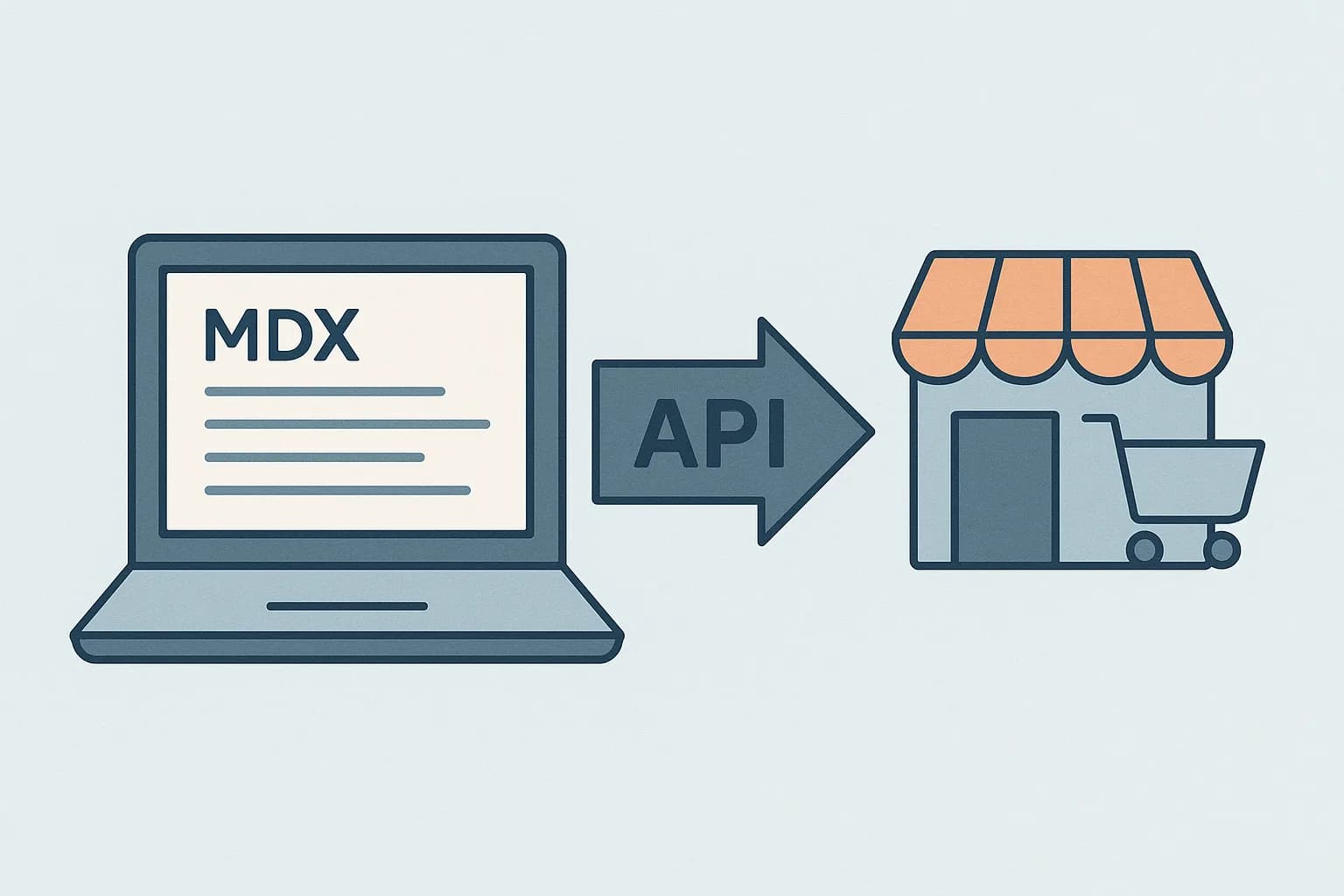
Content and commerce data live in two different systems more often than not. The commerce backend owns price, stock, and checkout. Everything else lives better in a headless CMS built for that job: product descriptions, buying guides, campaign pages. A shared SKU joins the two at render time, the same pattern covered in headless CMS examples. Picking that CMS is its own decision — see how to choose a headless CMS for the criteria that matter most. Draftbase is built for that second half. Content ships as MDX with typed fields. It's delivered over a cached API a storefront can call alongside the commerce API.
What Does Migrating Off a Traditional Platform Actually Take?
Most teams don't rip out a working store in one weekend. They migrate one route at a time.
Start with a single page type. Pick something low-risk: a landing page, or a category page with light logic. Build it against the new headless API. The rest of the site stays on the old platform for now.
Run both in parallel behind a path prefix. Old URLs keep working. New routes prove the new stack under real traffic before checkout moves.
Checkout migrates last, apart from the rest. It's the highest-risk page on the whole site. Broken checkout means lost revenue, not a bad Lighthouse score. Most teams keep the old checkout flow live until the new storefront proves itself. That means one full release cycle in production, with no surprises.
Budget real dev time for this. A platform swap without a frontend team already in place is a bigger job than the vendor's sales page suggests.
Is the Extra Work Worth It?
Not always. Be honest about that before you start.
A headless build costs more upfront. Someone has to write the storefront, wire the cart, and handle each edge case a template used to hide. That work has a real price tag, in weeks and in payroll.
The payoff shows up later, not on day one. One backend can feed a web app, a mobile app, and a kiosk without a second content team. A rebuild no longer risks breaking checkout. That's the trade: more work now, less lock-in later.
If the store is small and staying that way, the math doesn't work. If it's growing into new channels, it usually does.
How to Choose a Headless Commerce Platform
Start with catalog size and order volume, not the vendor's homepage. A few hundred SKUs and low order volume fit fine on Medusa or Saleor, no license cost. A six-figure SKU count with tricky B2B pricing tiers is the real reason to pay for commercetools or Elastic Path.
Next, count the engineers on the team. Open-source options need someone who can run servers and patch the storefront when the API changes. A SaaS-with-headless-API vendor like Shopify Hydrogen removes that burden. The cost is being locked into that vendor's backend.
Then check the integration list against what you already run. Tax engines, ERPs, and fulfillment tools vary here. Each platform's API surfaces those hooks differently. A perfect technical fit with no Avalara hookup is still a problem. It just doesn't show up on a feature comparison page. For one specific commerce-plus-content pairing, see Best Headless CMS for Ecommerce in 2026.
| Category | Examples | Best fit |
|---|---|---|
| Open-source, self-hosted | Medusa, Saleor, Vendure | Small teams, no license budget |
| Enterprise composable | commercetools, Elastic Path | Large catalogs, complex B2B pricing |
| SaaS with headless API | Shopify (Hydrogen), BigCommerce | Fast migration, keep the existing backend |
Are "Headless Commerce Solutions" and "Headless Commerce Platforms" the Same Thing?
Yes, mostly. "Solutions" is the word a vendor uses. "Platform" is the word a developer uses. Both point at the same layer underneath. A backend that serves data over an API, with no built-in storefront.
There's one real gap between the terms. Some vendor pages use "solution" loosely. It can mean a headless CMS bolted onto a normal commerce backend, not a fully headless one. That's still useful, just not the same setup as a pure API-first backend. Read past the label before you assume two vendor pages mean the same stack.
What Breaks First When You Go Headless
Something always breaks first. Knowing which thing saves a bad launch.
Search is usually it. A traditional platform ships search built in. A headless setup often ships none. Teams add Algolia or a similar tool late, after users can't find anything.
Redirects are next. Old URLs point at the old platform's routes. New routes look nothing like them. Nobody maps the gap until search traffic drops and someone asks why.
Image handling is the third one. The old platform resized and served images for you. The new API just returns a URL. Someone has to add a CDN and a resize step, or each product photo ships at full size.
None of these are hard problems on their own. They're just the ones nobody budgets time for. The sales page only shows the parts that work.
When Headless Commerce Is the Wrong Call
A single-product store with no plan to add a mobile app or kiosk doesn't need this. A custom storefront only pays off in two cases. Content has to reach more than one surface. Or the built-in theme system is blocking a rebuild you need to ship.
Teams with no frontend developer on staff should also stop here. A headless commerce platform hands you an API and nothing else. Someone still has to build the cart, the checkout UI, and each error state by hand. Or wire in a storefront starter kit and own the upkeep anyway.
Conclusion
A headless commerce platform is the backend half of a store: checkout, inventory, and pricing behind an API, no storefront attached. Pick open-source when budget is the constraint and engineers are on hand. Pick enterprise composable when the catalog is too big to skip it. Pick a SaaS-with-headless-API vendor when speed matters more than owning each layer. Whichever backend you pick, the content half usually fits better in a purpose-built CMS. Product guides, campaign pages, anything that isn't price or stock. See how Draftbase's ecommerce content model pairs with a commerce backend. Or check the pricing page: Hobby is free to try.
Ship content that's built to be found
Draftbase generates schema, structured data, and a fast MDX editor for every post.
Frequently asked questions
What is a headless commerce platform?
A backend that runs checkout, inventory, and pricing behind an API. No storefront comes with it. You build and host the frontend yourself, in any framework you pick.
What does MACH mean in headless commerce?
Microservices, API-first, Cloud-native, and Headless. Use it to check how open a vendor's backend really is. It's not proof on its own.
What's the best headless commerce platform?
There's no single best pick. Medusa or Saleor fit small open-source builds. commercetools or Elastic Path fit large B2B catalogs. Shopify Hydrogen or BigCommerce fit a fast SaaS move.
Are headless commerce solutions the same as headless commerce platforms?
Mostly yes. Solutions is the vendor's word, platform is the developer's word. Both point at the same API-first backend with no storefront.
Does a headless commerce platform include a CMS?
No. It owns price, stock, and checkout. Product guides and campaign pages usually come from a separate CMS. A shared SKU joins the two.
Is Shopify a CMS?
Not a headless one by default. Shopify is a commerce platform with a bundled content system for pages and blog posts, built for its own theme layer. Shopify Hydrogen exposes a headless storefront API for commerce data, but for a content model that isn't tied to Shopify's theme system, most teams pair it with a separate headless CMS instead.
Samer is a software engineer and entrepreneur, founder of Draftbase and Ezi Home Services, building technology that simplifies home services. Passionate about software, APIs, automation, and creating products that solve real-world problems.