Best Headless CMS for Ecommerce in 2026
The best ecommerce CMS in 2026 isn't a full platform. It's a content layer next to Shopify or Stripe. Here's how developers split the stack.
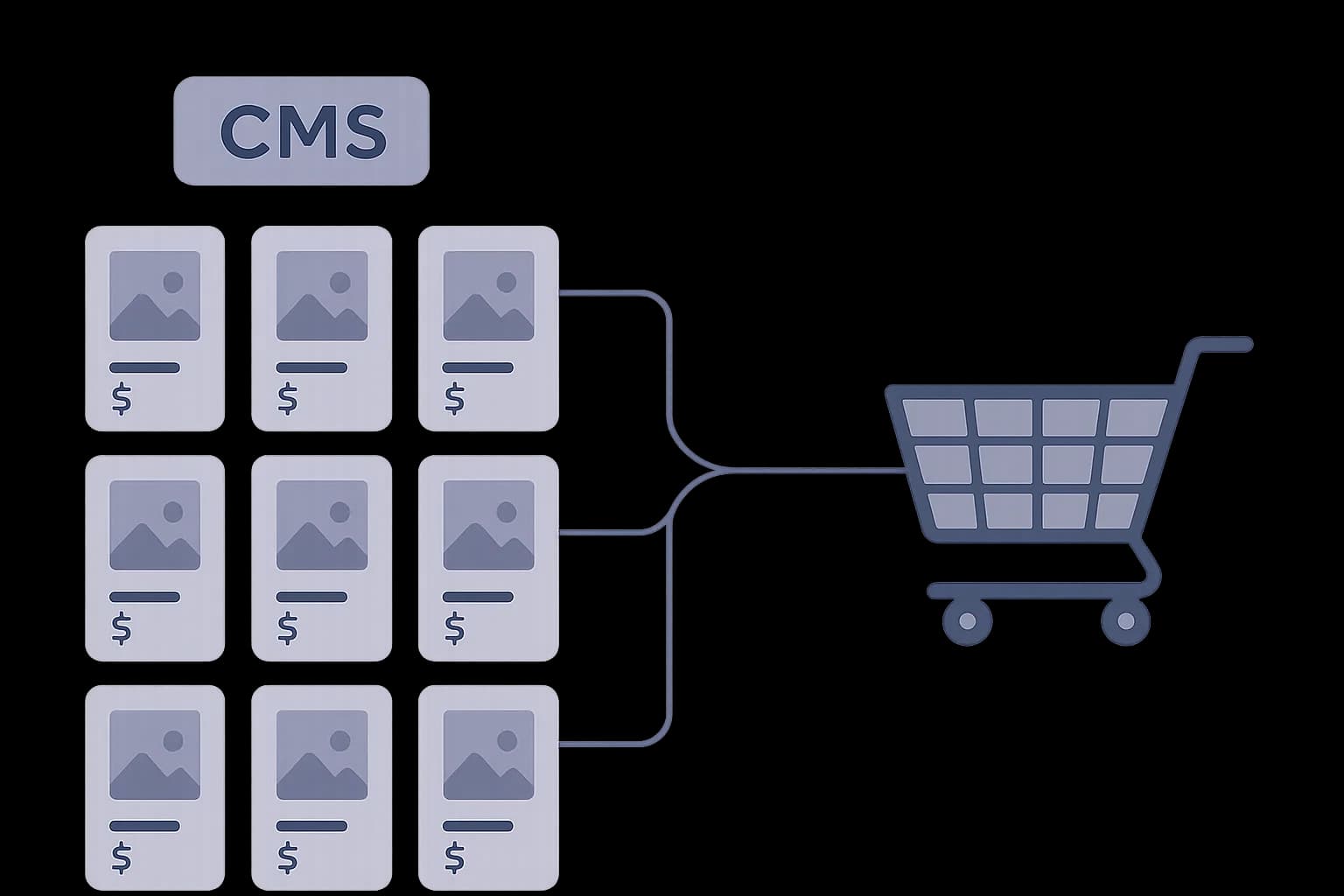
In 2026, the best ecommerce CMS is usually not a full platform. It's a light content layer next to Shopify or Stripe, each system owning only the job it's good at.
The best ecommerce CMS for a developer isn't a full commerce platform. It's a light content layer. It plugs into whatever runs checkout, like Shopify or Stripe. Content lives in one system. Payments live in another. That split is now how most dev teams build stores.
73% of businesses now run on headless setups. That's up 14% from 2021. (Swell) The reason isn't just taste. "Ecommerce CMS" split into two jobs. Bundling them back into one tool is what causes most of the pain.
This guide covers that split. It also covers a part most posts skip. When is one big platform still the right call? When is it dead weight?
What "Ecommerce CMS" Means Now
An old-style ecommerce platform bundles everything. Catalog, cart, checkout, pages, blog, stock. One codebase. One database. One deploy. Shopify's default theme works this way. So does Adobe Commerce.
A headless ecommerce CMS does one job instead. It stores content. Product copy, landing pages, blog posts, marketing text. It sends that content out through an API. A separate tool handles cart, checkout, and payment. Your frontend calls both.
MACH is the name for this split. It stands for Microservices, API-first, Cloud-native, Headless. Each job gets its own small service. Search, payments, content, and catalog all live apart, not in one big app. (macharchitecture.com)
That's the real shift devs need to grasp. "Best ecommerce CMS" used to mean "best all-in-one tool." Now it means something narrower. It means "best content layer to pair with your checkout tool."
Why Teams Split Content From Checkout
Composable setups aren't a niche bet anymore. 92% of US brands have already adopted one. Another 21% plan to, within 12 months. (Swell)
The reasons are real, not just style. Teams report a 30–50% drop in SaaS costs after the switch. (Swell) 77% say they can change a storefront faster now. A copy edit no longer needs a full platform release. (Swell)
Speed matters more than most teams admit. Sites that load in one second convert at 3.05%. Sites that take five seconds convert at 1.08%. (Queue-it) A big platform's theme layer is built for any merchant. It rarely hits that bar. A thin content API feeding a custom frontend often does.
None of this means drop your checkout tool. It means the CMS half of your stack no longer has to match the checkout half.
Shopify Plus a Headless CMS: The Common Pattern
Shopify shows this split best. Its Storefront API links Shopify's backend to a custom frontend. Without it, headless Shopify would not work at all. (commercebolt.com)
Shopify's Hydrogen framework covers most Storefront API needs by default in 2026. Devs only reach for a custom Next.js build for a real, specific reason. (weaverse.io) But Hydrogen handles checkout: cart, pay, product data. It does not replace a real CMS for a blog or landing pages.
That's the gap a headless CMS fills. Draftbase's delivery API sits next to Shopify the same way any content source would. Entries come back as plain JSON over REST. You filter by content type:
GET /delivery/entries?contentTypeId=blogPost&locale=en
Your frontend calls Shopify's Storefront API for products and checkout. It calls Draftbase for posts and pages. Neither tool knows the other exists. See how a CMS delivery API is built for the request shape.
Stripe: The Same Split, With No Store Front End at All
Stripe pushes the split even further. It has no store layer at all. No product pages, no cart, no content model. It's a payments API, and not much else.
That makes Stripe plus a headless CMS the cleanest version of this pattern. The CMS owns every page a shopper sees: product copy, pricing, blog, FAQs. Stripe only shows up at checkout. Usually that's Stripe Checkout, or a custom Payment Intents flow.
Picture a dev building a small store. A few products, a plan, a digital good. This setup is often less code than a full commerce platform. A schema-first CMS like Draftbase runs the pages and posts, with each field defined once in a content type. Stripe runs the one part that truly needs strict compliance.
Content CMS vs. Full Platform, Side by Side
| Headless CMS + checkout tool | Bundled platform | |
|---|---|---|
| Owns | Content: pages, posts, product copy | Content, catalog, cart, checkout, stock |
| Best fit | Small-to-mid catalog, content-heavy site | Large catalog, many variants, many warehouses |
| Deploy for a copy edit | Frontend only, often no redeploy | Full platform release |
| Checkout compliance | Handled by Stripe or Shopify | Built in |
| Setup work | Two APIs to wire together | One admin, one login |
The table isn't a rank. It's a fit check. The right column wins when catalog size is the real problem. The left column wins when content speed is.
Keeping Content in Sync With Your Catalog
Two systems means two sources of truth. That's the real cost of the split, and most posts skip it.
Say a product name changes in Shopify. Your CMS still has the old name on a landing page. Nothing breaks. The copy just goes stale, quietly, until someone notices.
The fix is a webhook, not a cron job that polls on a timer. Shopify sends a webhook on products/update. Your backend catches it, checks the HMAC signature, and pushes the new name into the matching CMS entry. This is the same pattern any webhook integration uses: verify first, then dedupe by event ID, then write. See webhooks vs APIs for the full pattern, including why that order matters.
Most teams only sync one direction: catalog data flows into the CMS as read-only reference fields. The CMS never writes back to Shopify. That keeps Shopify as the single source of truth for price and stock, and the CMS as the source of truth for everything else on the page.
When a Full Platform Still Wins
The split isn't free. It adds one more tool to run. It adds one more API to keep in sync at launch.
A big catalog changes that math. Many variants, many warehouses, and promo rules all fit better in one platform. Adobe Commerce and Shopify Plus exist for this exact case. Thousands of SKUs. Live stock sync. A merchandising team that wants a visual admin, not raw API calls.
64% of big ecommerce firms use or plan to use headless setups in 2026. (Wcart) That leaves over a third who pick one bundled tool on purpose. Their catalog is often too complex for the split to pay off.
The rule is simple. If your problem is content, a light CMS next to your checkout tool fixes it fast. Page speed, blog setup, and copy review all sit in that bucket. If your problem is catalog and stock, a headless CMS won't touch it at all.
The Underused Angle: Most Lists Compare the Wrong Thing
Most posts rank Contentful against Shopify against Adobe Commerce. They treat them as if they compete for the same job. They don't. Contentful and Shopify aren't swaps for each other. One stores content. One runs checkout. Most real stacks run both at once.
The better question isn't "which ecommerce CMS is best." It's smaller than that. What does your checkout tool skip? What's the smallest CMS that covers just that gap?
For a Shopify store, that gap is usually blog and landing pages. For a Stripe-only build, it's the whole site a shopper sees. Neither case needs a huge CMS module bolted onto a checkout tool that already has its own template rules.
Fit the CMS to the real gap. That keeps a stack easy to run as it grows. A light, schema-first layer like Draftbase, with five fields and one API route, is easy to read a year later. A half-used CMS module inside a big platform is not.
Conclusion
"Ecommerce CMS" no longer means one big tool. For most dev-built stores in 2026, it means something smaller. A light content layer, built on MDX and an API, sits next to Shopify's Storefront API or Stripe's payments API. Each part does only the job it's good at.
Pick a bundled platform when catalog size and stock are the real problem. Pick a headless CMS plus your current checkout tool when content speed is. Most new builds fall into the second group.
See what an API call actually is for the basics behind any delivery API. Or check Draftbase pricing to see what a content-only layer costs next to your checkout stack.
Ship content that's built to be found
Draftbase generates schema, structured data, and a fast MDX editor for every post.
Frequently asked questions
What is the best CMS for an ecommerce site?
There is no single best ecommerce CMS. The right pick depends on your checkout tool and catalog size. For a Shopify or Stripe build, a light headless CMS that owns only pages and blog posts is usually the best fit.
Is Shopify a headless CMS?
No. Shopify is a commerce platform, not a CMS. Its Storefront API and Hydrogen framework handle cart, checkout, and product data. They do not replace a real content system for blog posts and landing pages.
Can I use a headless CMS with Stripe instead of Shopify?
Yes. Stripe has no storefront layer of its own. A headless CMS can own every page a shopper sees, while Stripe only handles the checkout step through Stripe Checkout or a custom Payment Intents flow.
What's the difference between a headless CMS and an ecommerce platform?
A headless CMS stores and serves content through an API: pages, posts, and product copy. A full ecommerce platform bundles that content system together with cart, checkout, and inventory in one tool.
Does a headless CMS handle checkout?
No, and it should not try to. A headless CMS covers pages, posts, and copy. Checkout stays with a dedicated tool like Stripe or Shopify, since that is the part that needs strict payment compliance.
Samer is a software engineer and entrepreneur, founder of Draftbase and Ezi Home Services, building technology that simplifies home services. Passionate about software, APIs, automation, and creating products that solve real-world problems.