
Headless CMS Examples: 6 Real-World Use Cases
Headless CMS examples span marketing sites, docs, mobile apps, ecommerce, and multi-region hubs. See the content model behind each use case.
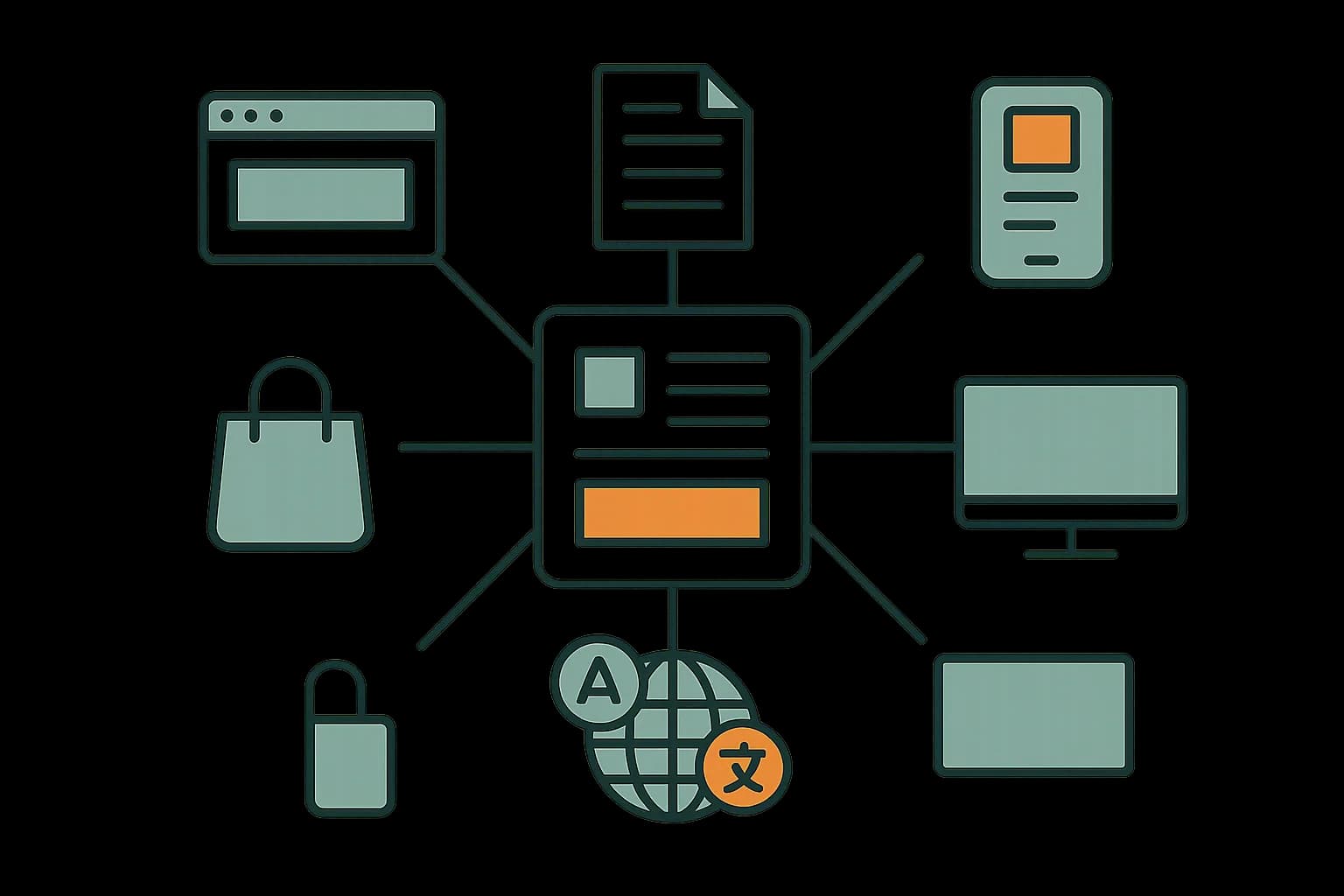
Headless CMS examples fall into a handful of repeating shapes. The common ones are marketing sites, docs portals, mobile apps, ecommerce catalogs, and multi-brand hubs. Each shares one trait: content has to reach more than one surface. This guide walks through each one, and what its content model looks like. Draftbase fits the developer-led end of that list, where content ships as plain MDX into a React front end.
Use Case 1: Marketing Sites and Landing Pages
This is the most common starting point. A marketing team needs to ship pages fast. A developer doesn't want to hand-edit copy in JSX.
The content model here is small. A page entry holds a title, a hero block, a few sections, and SEO fields. The front end renders those blocks in order.
The payoff is speed on both sides. Writers edit copy without a pull request. Developers keep full control of the layout code. Static builds keep the pages fast.
Use Case 2: Docs Sites
Docs fit a headless CMS well, above all in MDX. A doc page is structured content with a body, a version, and a nav position.
Two things make docs different from marketing pages. Docs need versioning, since old releases still need their pages. Docs also need inline components, like callouts, tabs, and live code samples.
That second need is exactly why MDX matters here. MDX lets a writer drop a React component inline in the body. A rich-text-tree CMS makes that harder. The component has to be modeled as a custom node type first.
Draftbase stores every rich-text field as a raw MDX string. A docs writer can drop a <Callout> component into the body. The React app renders it as is. That's the reason it fits docs work better than a general platform.
Use Case 3: Mobile Apps and Multi-Channel Delivery
Apps were the original reason "headless" existed. A native app can't render a CMS template. It needs data.
One publisher pushes the same content to a website, native apps, social feeds, voice assistants, and VR headsets. (Hygraph).
The content model shift here is worth naming. You stop modeling pages. You start modeling things: an article, a product, an event. Layout logic moves into each client. That change is what makes one entry usable on five surfaces.
Use Case 4: Ecommerce Product Content
Ecommerce splits content across two systems. Commerce platforms own price, stock, and checkout. A headless CMS owns descriptions, guides, campaign pages, and imagery.
The join key is usually a product SKU. The CMS entry references it. The storefront pulls both sources and merges them at render time.
This split is why headless commerce grew fast. Marketing can rewrite a product story without touching the commerce back end. See our headless CMS for ecommerce guide for the deeper version of this use case.
Use Case 5: Enterprise Multi-Brand and Multi-Region Content Hubs
Big firms run many sites on one content base. Think a parent brand with regional sites in six languages. This is one of the clearest benefits of headless CMS architecture: one canonical content source, many regional front ends, no separate installs to keep in sync.
The model uses locales and shared entries. One source entry holds the canonical content. Locale variants hold translations. Regional sites query the locale they need.
The alternative is six separate CMS installs that drift apart within a year. That drift is the actual cost, not the license fee. Canonical content translated per locale, rather than copy-pasted per site, also sidesteps the duplicate-content problems that plague regional sites built the old way — a search-visibility angle worth its own treatment, which we cover separately in headless CMS and SEO.
Use Case 6: Internal Tools and Screen Displays
This one gets skipped in most roundups. Headless CMS content also feeds internal surfaces.
Think help-desk articles, in-app onboarding text, status page copy, and lobby screens. All of it is content that non-devs should own.
One media system on a headless platform let members log in once and reach several digital rooms. Updates showed up in the browser on their own. (ColorWhistle).
The Six Use Cases at a Glance
Here's the short version of all six, side by side.
| Use case | Core entry type | Why headless helps |
|---|---|---|
| Marketing site | Page with blocks | Writers edit copy, devs own layout |
| Docs | Doc page with version | MDX allows inline React components |
| Mobile app | Article or product | One entry feeds web and app |
| Ecommerce | Product story by SKU | Splits copy from price and stock |
| Enterprise multi-region hub | Localized entry | One source, many translations |
| Internal tools | Help or status text | Non-devs own the words |
Most teams start with one row and grow into a second. The model you pick on day one decides how easy that growth is.
How to Model Content for These Cases
The rule is short: model the thing, not the page.
Start with the smallest unit a reader cares about. That's an article, a product, or a doc page. Give it fields for what it is, not for how it looks.
Skip fields like "hero background color" or "left column width." Those belong in the front end. A field that only makes sense on one screen size is a layout setting in disguise.
Add a slug and a status to every entry type. Those two fields carry more weight than any other pair. The slug drives routing. The status drives what the delivery API returns.
What Every Successful Example Has in Common
Look at the six cases above and one pattern repeats. Every good fit models content as reusable objects, not as pages.
Page-shaped content ties copy to one layout. Object-shaped content survives a redesign. That's the gap between a CMS that lasts three years and one that gets tossed with the front end.
Here's the test to run on your own project. Take one piece of content. Ask if it could render on a second surface with no rewrite. If yes, headless will pay off. If no, a traditional CMS may be the cheaper answer.
When a Headless CMS Is the Wrong Example to Follow
Not every project belongs on this list. Skip headless in these cases:
- A single brochure site with no second channel
- No developer available to build and maintain a front end
- A team that needs drag-and-drop page building above all else
- A short-lived campaign site with a two-month lifespan
Being honest about this matters. A headless CMS adds a build step you have to staff. If the goal is one small site edited by non-tech staff, that cost isn't worth it.
Conclusion
The strongest headless CMS examples share one trait: content reaches more than one surface, so it's modeled as objects instead of pages. Marketing sites, docs, apps, ecommerce, multi-region hubs, and internal tools all fit that shape. If your project is docs or a content-driven React app, start a Draftbase project and model one entry as MDX to see how it renders. For the underlying concepts, read our headless CMS overview.
Ship content that's built to be found
Draftbase generates schema, structured data, and a fast MDX editor for every post.
Frequently asked questions
What are common headless CMS examples?
Marketing sites, documentation portals, mobile apps, ecommerce product content, multi-region brand hubs, and internal tools. All need content on more than one surface.
Is a headless CMS good for documentation?
Yes, especially with MDX. Docs need versioning and inline components like callouts and tabs, which MDX supports without custom node types.
How does a headless CMS work with ecommerce?
The commerce platform owns price, stock, and checkout. The CMS owns descriptions and campaign content. A product SKU joins the two at render time.
When is a headless CMS the wrong choice?
For a single brochure site, a two-month campaign page, or a team with no developer. A headless setup adds a front end someone must build and maintain.
What do all good headless CMS use cases share?
Content modeled as objects, not pages. If one entry can render on a second surface without a rewrite, the headless model pays off.
Is a headless CMS good for omnichannel content?
Yes. Modeling content as objects instead of pages lets one entry render on a website, an app, and a regional site without a rewrite, which is exactly what an omnichannel setup needs.
Does a headless CMS support GraphQL?
Most do, alongside REST. A GraphQL delivery API lets a client request exactly the fields a query needs instead of the whole entry, which matters most when the same content model feeds several very different surfaces. See our GraphQL API endpoint guide for the request shape.
Working with this hands-on? Draftbase also has a free supabase rls checker.