
What Is a CMS? Definition and How It Works
CMS definition: software for creating, editing, and publishing content without code. The three kinds of CMS system, what each does, and how to pick one.
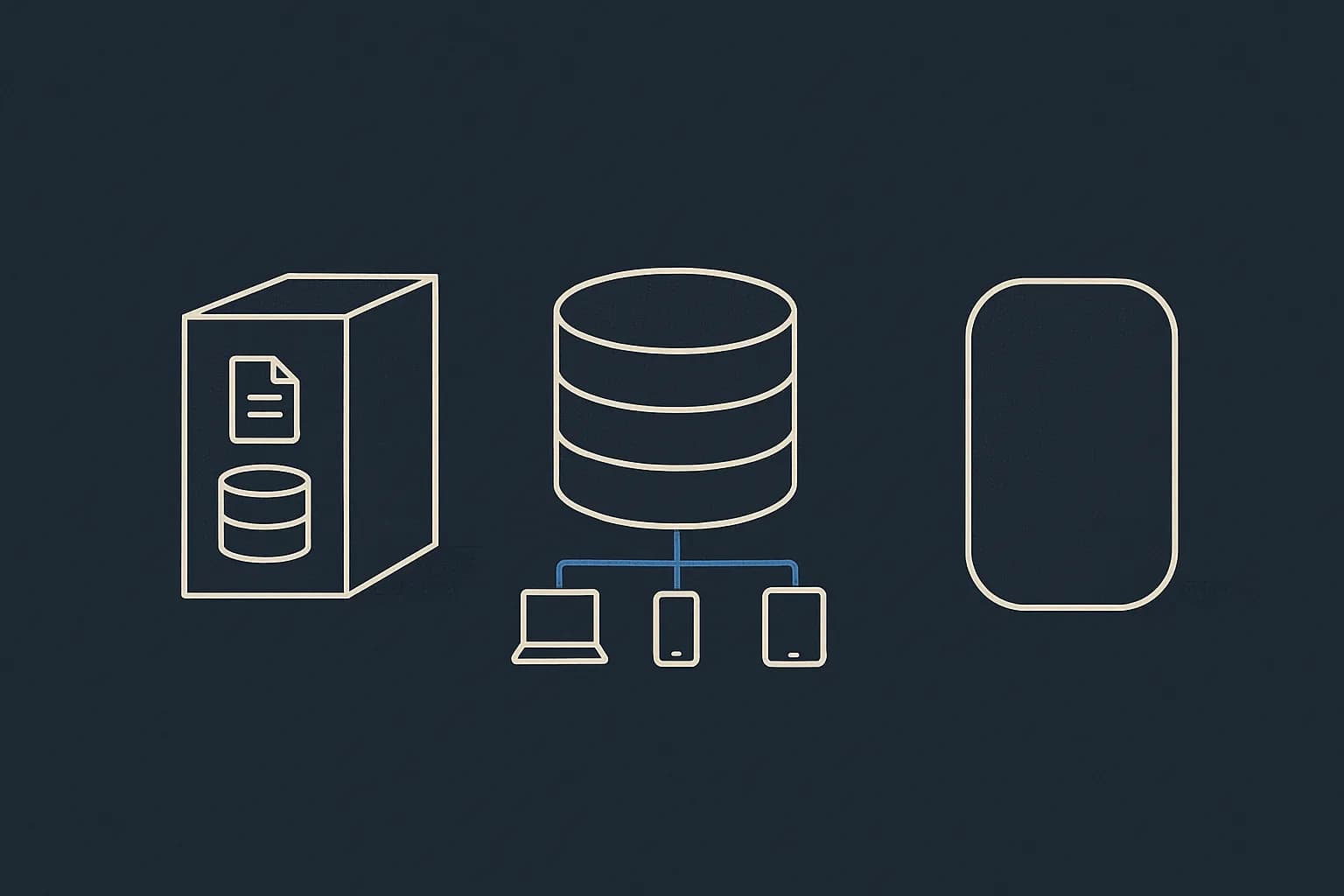
A CMS, or content management system, is software that lets people create, edit, and publish content without writing code for every change. That's the definition. The catch: three fairly different products now share the name. Picking between them is the real decision. As of W3Techs' August 12, 2026 survey, 69.4% of all websites run a known CMS. WordPress alone accounts for 41.0% of every site on the web. Here's what a CMS does, the three kinds, and how to tell which one you need.
What does a CMS actually do?
Four jobs. Strip a CMS down and this is what's left.
It stores content in a database, not in files a developer edits. It gives non-developers an editing screen. It controls who can publish what. And it serves the content, either by drawing pages itself or by handing the data to something else.
Everything else a vendor lists sits on top of those four. Scheduled publishing, revision history, translations, media handling, approval steps. Useful, often needed, but not what makes a thing a CMS.
What's the difference between a CMS and a website builder?
They overlap enough that the marketing stopped telling them apart. That's why the question keeps coming up.
A website builder bundles the CMS with the design tool and the hosting. Pick a template, drag things around, hit publish. Wix and Squarespace work this way. Together they're 9.6% of the CMS market.
A CMS in the older sense manages content and leaves the design to a theme or a separate codebase. The line has blurred for real. WordPress now ships a block editor that acts a lot like a builder. So judge on lock-in instead. Can you get your content out in a usable form? Can a developer change how it renders?
Types of CMS: traditional, headless, and hosted builders
Three categories, and the differences are structural, not cosmetic.
Traditional (coupled) CMS
The CMS owns the database, the admin, and the rendering. Content and design ship together in one system. WordPress, Drupal, and Joomla are the examples. This is what most people mean by "CMS."
The upside: it works out of the box. One install and you have a website. The downside shows up when you need a second front end, say a mobile app. The content only comes out as web pages.
Headless CMS
The CMS owns the content and stops there. No templates, no rendering. Content comes out over an API. You build the front end in whatever framework you like.
More setup on day one, more freedom after. The full picture is in what a headless CMS is. The head-to-head sits in headless CMS vs WordPress.
Hosted site builders
Wix, Squarespace, and Shopify. The whole stack is the product. Content, design, hosting, and payments in Shopify's case. Fastest to launch, hardest to leave.
| Traditional | Headless | Site builder | |
|---|---|---|---|
| Renders your pages | Yes | No | Yes |
| Front end you control | Theme layer | Fully | Barely |
| Multi-channel output | Hard | Built in | No |
| Time to first page | Hours | Days | Minutes |
| Getting your content out | Export plugin | API call | Varies |
The underused angle: 30.6% of the web runs no CMS at all
Almost every "what is a CMS" article assumes the answer is always yes. The data says no.
W3Techs tracks 30.6% of all websites as using no known CMS. That's not a rounding error. It's about a third of the web. Plenty of it is a choice, not neglect.
Static site generators are the big one. Say a marketing site has four pages and one owner who likes a text editor. A CMS adds an admin panel, a database, and a monthly bill for a problem they don't have. Custom apps are the other case. When content already lives in your product's database, bolting a CMS beside it creates two sources of truth.
So the first question isn't which CMS. It's whether anyone but a developer needs to change words on this site. No? You may not need one. Yes? You almost certainly do, and adding one later costs you a migration.
Do you need a CMS for a small site?
Depends on one thing: who changes the words.
If that's you, and you're comfortable in a text editor, skip it for now. A static site generator plus a git repo handles a five-page site fine. No admin panel to secure, no database to back up, no monthly bill.
If it's anyone else, get one. The moment a second person needs to fix a typo, the choice is a CMS or a support ticket, and support tickets don't scale.
There's a middle case worth naming. A site that's small today but has a blog planned. Adding posts one file at a time works right up until you have 60 of them and want to filter by tag. Then you're writing query code against a folder, which is a database with extra steps.
Cost rarely decides it. Most headless platforms have a real free tier, Draftbase's Hobby plan included, so the price of being wrong is low. The expensive mistake runs the other way: building a custom admin panel because a CMS felt like overkill, then maintaining it for three years.
One rule of thumb. Count the people who will edit content in the next year. One means maybe. Two or more means yes.
How does a CMS store content?
This is where the three kinds split hardest. It's also where the long-term pain hides.
A traditional CMS usually stores a page as content and markup mixed in one field. WordPress posts hold HTML. Handy for rendering, awkward for reuse. The layout is baked into the text.
A headless CMS stores typed fields. A title is a string. A price is a number. An author is a reference to another record. Layout isn't stored at all, since the CMS never renders.
Here's the test. Can you use the same content in an email, a mobile app, and a web page without editing it? Typed fields say yes. Baked-in HTML says no.
What goes wrong with a CMS?
Four failures, and they're consistent enough across platforms to plan for.
Plugin sprawl. The add-on model that makes a traditional CMS quick to set up also makes it brittle. Thirty plugins from thirty maintainers is thirty upgrade paths, and a real security surface.
Content locked into layout. Years of posts saved as HTML blobs with inline styles. A redesign means rewriting content, not just CSS.
The deploy-to-fix-a-typo tax. Common on Git-based and static setups where content sits in the repo. Every copy change becomes a pull request and a build.
Nobody owns the model. Fields pile up until one content type has 40 of them and nobody recalls which are live. That's a modeling problem. Content modeling is the fix.
How do you choose a CMS?
Answer three questions in order, and the field narrows fast.
Who edits? Non-technical editors who need a visual preview point to a traditional CMS or a builder. Developers writing docs and technical content point to headless.
How many front ends? One website, traditional is fine. A site plus an app plus in-product content, and headless pays for its setup at once.
How often does the model change? A blog with a stable shape can live anywhere. A product catalog that gains fields every quarter wants typed fields and a schema you can change with no migration script.
There's a longer version too: a full evaluation framework for choosing a headless CMS.
Where Draftbase fits
Draftbase is a headless CMS, so it's the second kind above, not the first. Want a site running this afternoon with a theme and no code? WordPress or Squarespace will get you there faster. That's a real answer, not a polite one.
It's the right call when a React or Next.js team wants typed content over an API. Templates are schemas of typed fields. Prose is stored as plain MDX, not a vendor tree. Delivery is REST or GraphQL. Revisions with rollback, scheduled publishing, and webhooks on every entry event come standard. The Hobby plan is free. The Startup plan is $49/mo, both on the headless CMS pricing page.
Ship content that's built to be found
Draftbase generates schema, structured data, and a fast MDX editor for every post.
Frequently asked questions
What is a CMS?
A content management system is software that lets people create, edit, and publish content without writing code for every change. It stores content, provides an editing screen, controls permissions, and serves the content.
What percentage of websites use a CMS?
69.4% of all websites run a known CMS, per W3Techs on August 12, 2026. WordPress accounts for 41.0% of all sites and 59.0% of the CMS market.
What are the main types of CMS?
Three. Traditional or coupled systems like WordPress render pages themselves. Headless systems serve content over an API and render nothing. Hosted builders like Wix bundle content, design, and hosting.
What is the difference between a CMS and a website builder?
A builder bundles the CMS with the design tool and hosting, so you never leave one product. A CMS in the older sense manages content and leaves rendering to a theme or separate codebase.
Does every website need a CMS?
No. W3Techs tracks 30.6% of sites as using none. If a single developer owns all content changes, a static site generator is often simpler. Add a CMS once a second person edits.
Working with this hands-on? Draftbase also has a free supabase rls checker.